SERVIO
A private AI expert for top-tier financial institutions.

- Role
- Solo Designer (0 → 1)
- Timeline
- ~3 months
- Scope
- Brand · Product UI · Motion · Design System
- Year
- 2025
Overview — 01
Context
SERVIO is an internal AI product being built for the world's most demanding users — senior staff at investment banks, private banks, family offices, and top-tier asset managers. These are people who live alongside Bloomberg Terminal, dismiss consumer SaaS on instinct, and judge every tool by the company it keeps on their screen.
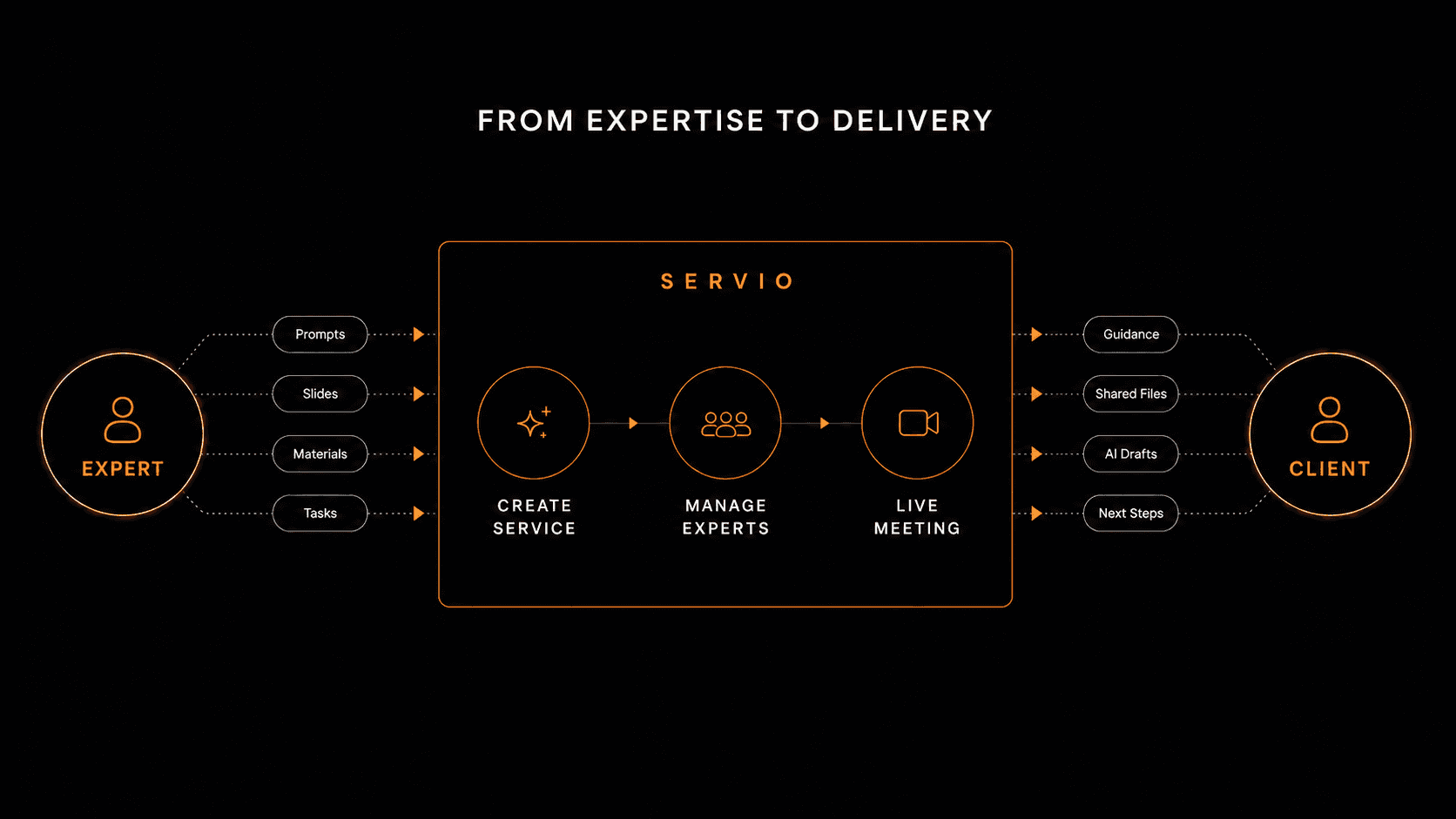
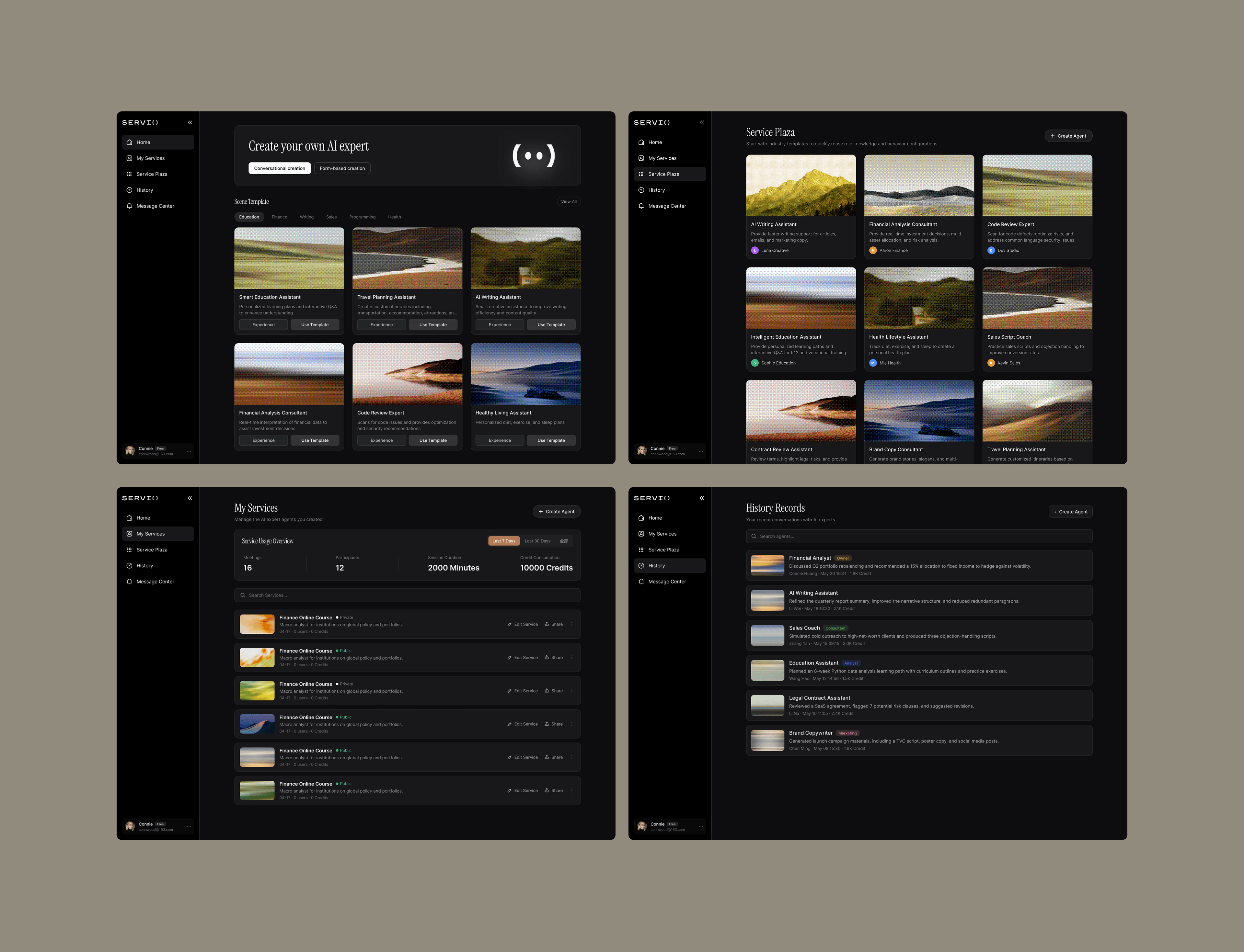
I led the brand and product visual design end-to-end: website, core product UI (virtual meeting room), motion system, and the token-level design system underneath.
Overview — 02
The problem
Existing AI tools fail these users in five specific ways:
1. They all look the same. Putting ChatGPT on the screen during a client pitch is a brand liability — the tool itself is part of the firm's signal of quality.
2. Output needs heavy "re-translation". Analysts spend hours reformatting raw text into institution-grade decks. The productivity gain evaporates in the last mile.
3. AI is good at retrieval, bad at judgment. These users don't need summaries of 500-page reports; they need defensible takes under uncertainty.
4. No memory, no context. Every session resets. For a high-velocity finance environment, this friction is unacceptable.
5. No collaboration primitives. Institution-grade permission, review, and compliance review workflows don't exist in any consumer AI product.
01 — Product core
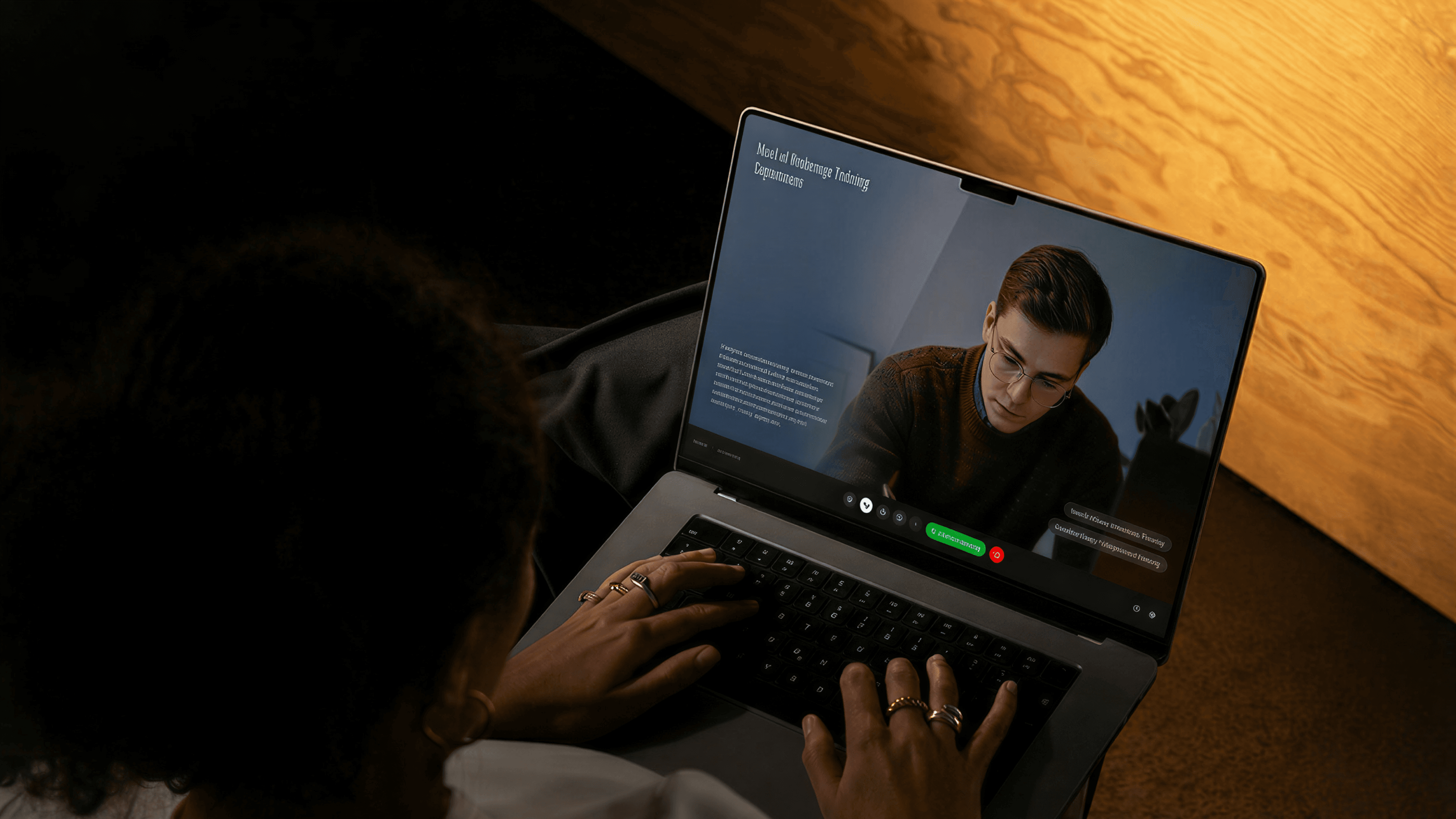
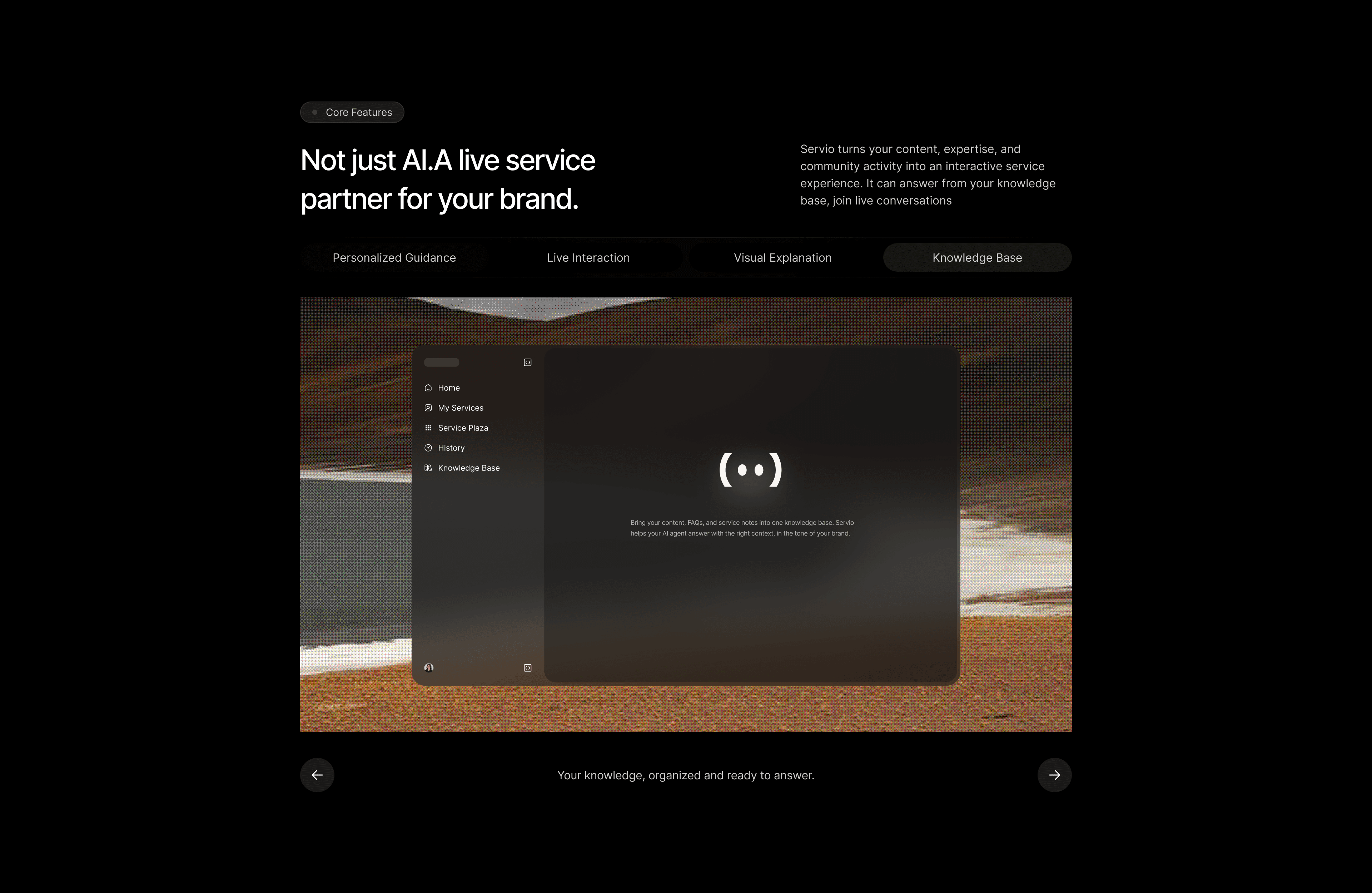
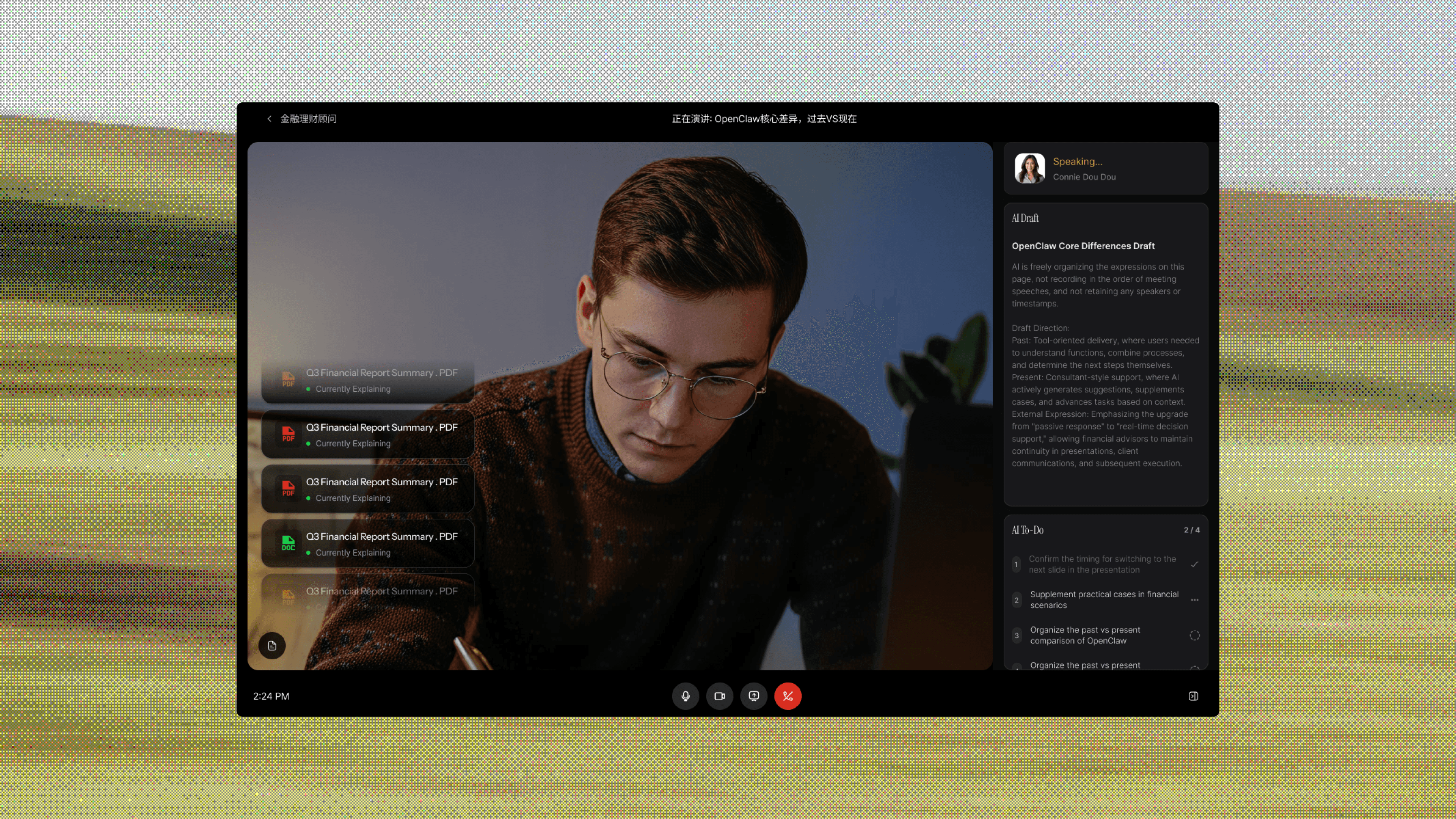
Virtual meeting room
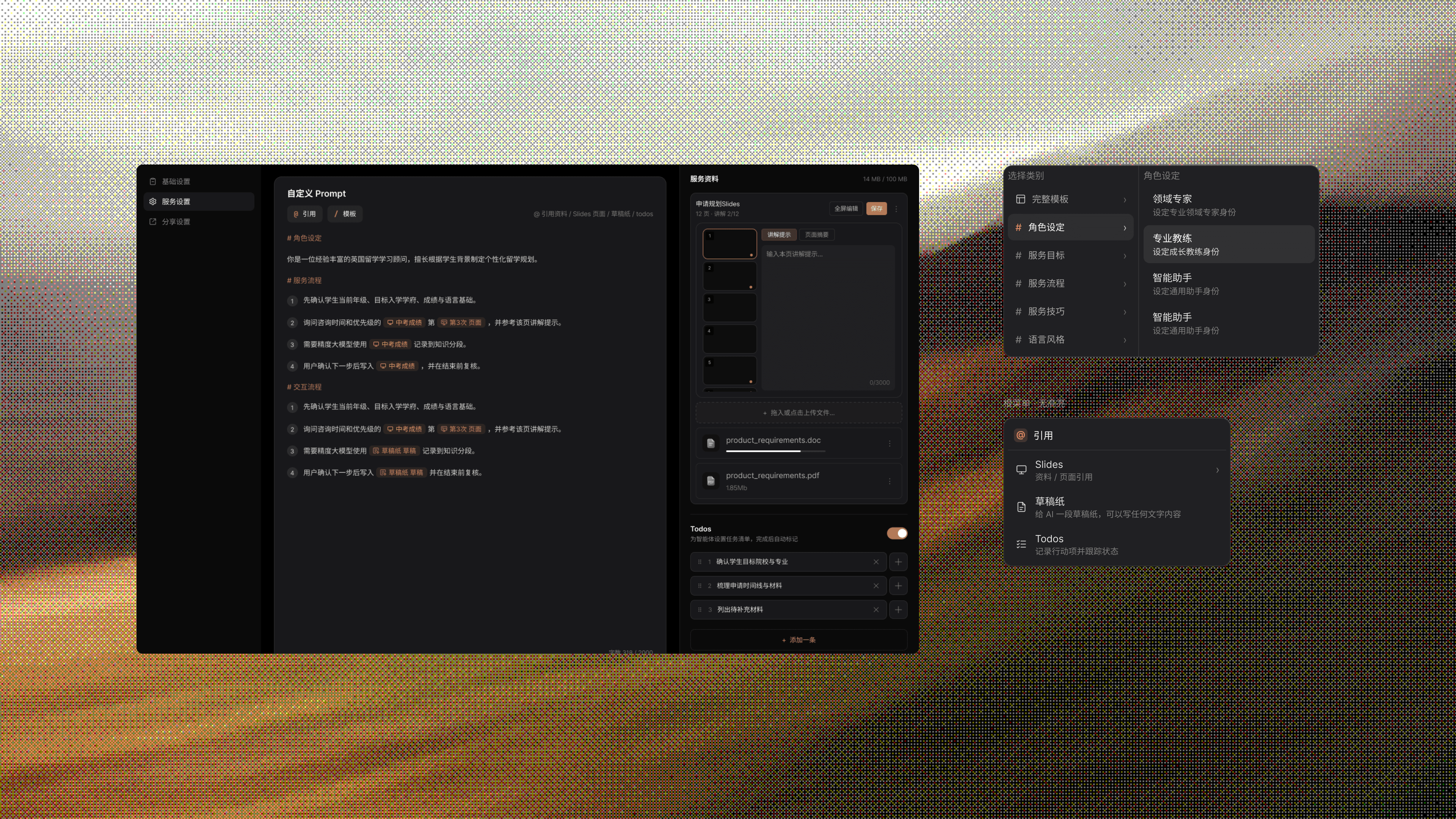
The product page where the brand promise has to land. Document lists read 'Q3 Financial Report Summary.pdf' not 'file1.pdf'; AI minutes reference monte-carlo credit risk not generic 'insights'; a real-time token meter keeps transparency front-of-stage.


02 — Scenarios
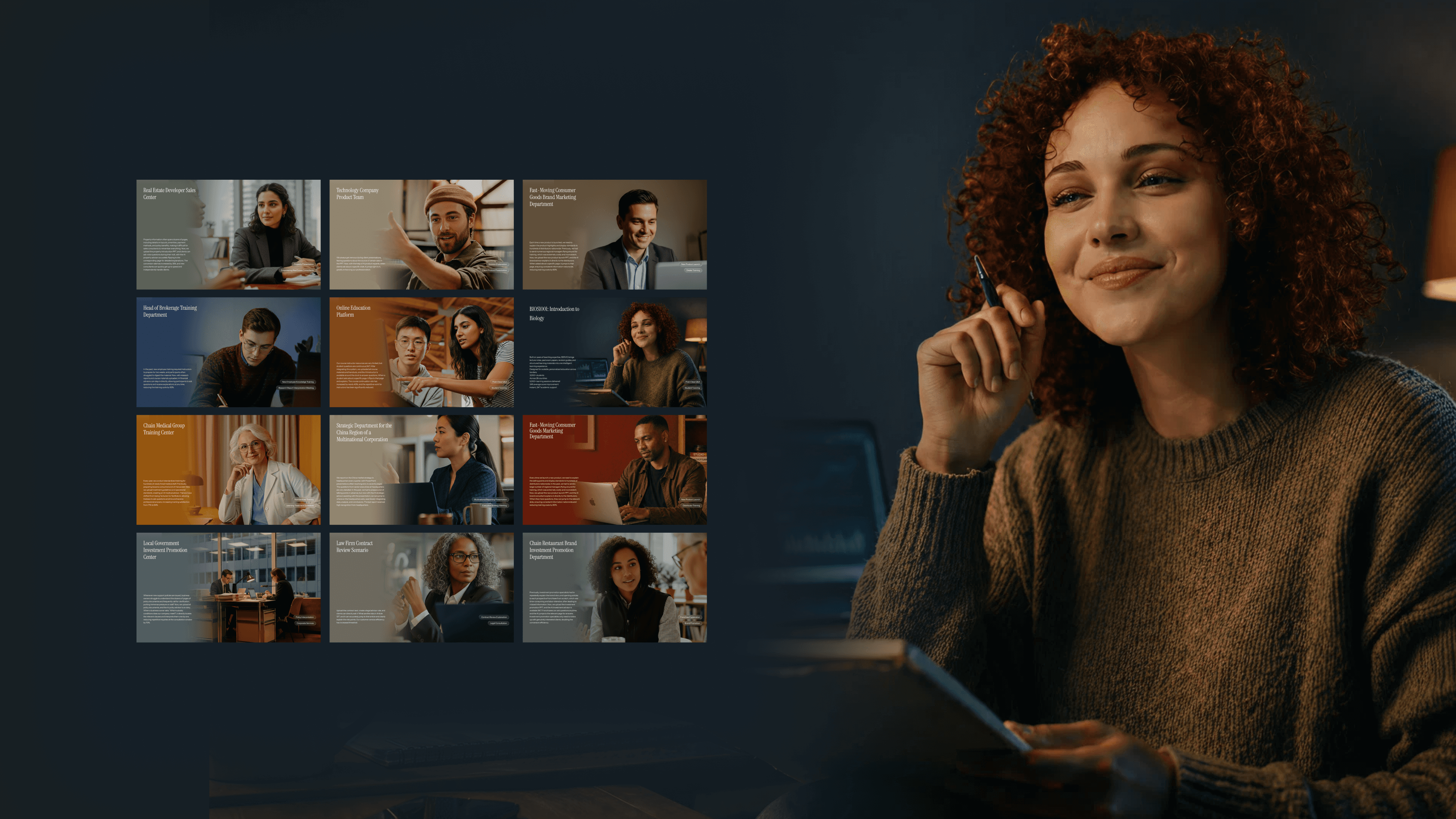
Ten professional roles, one system
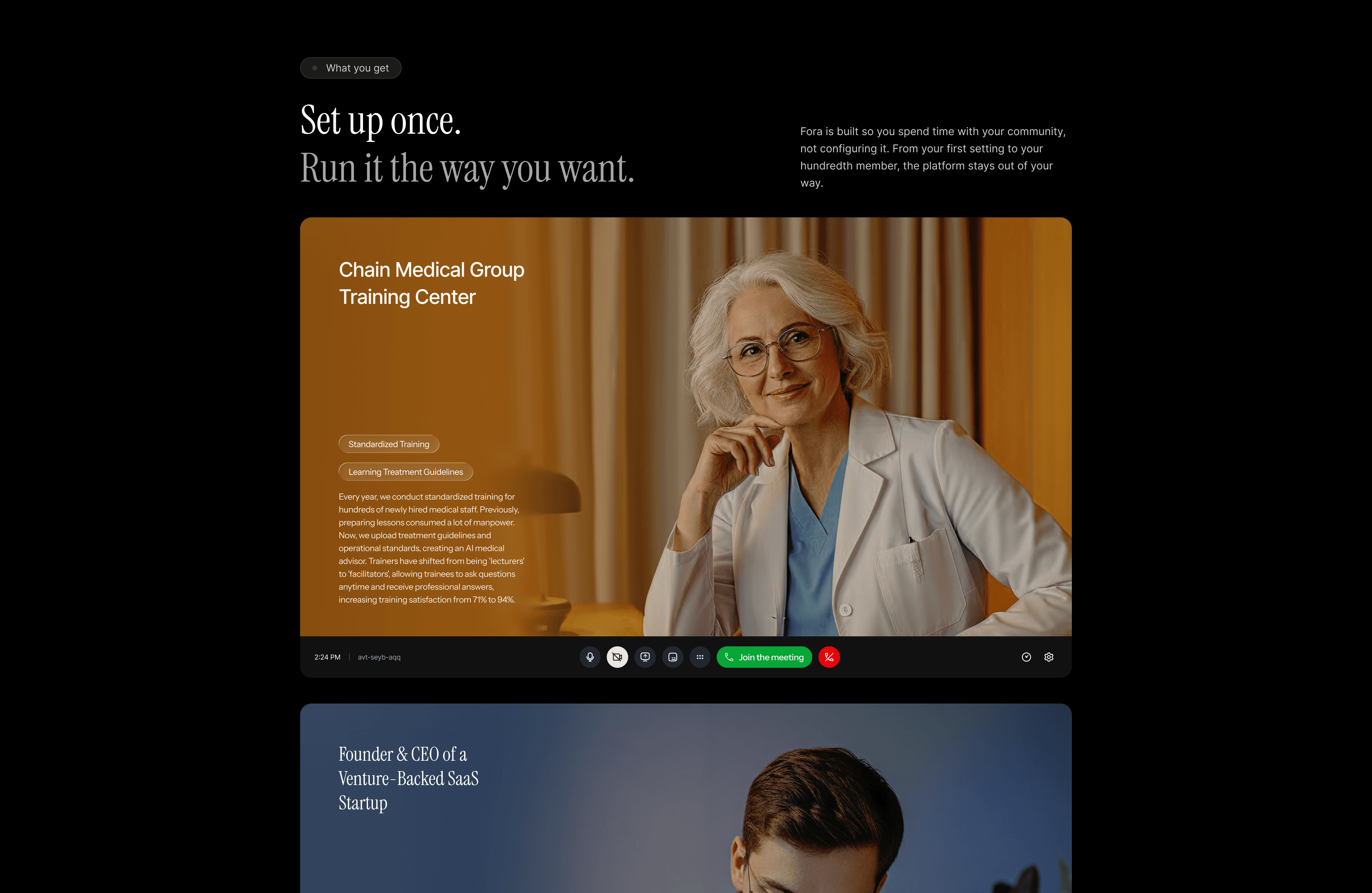
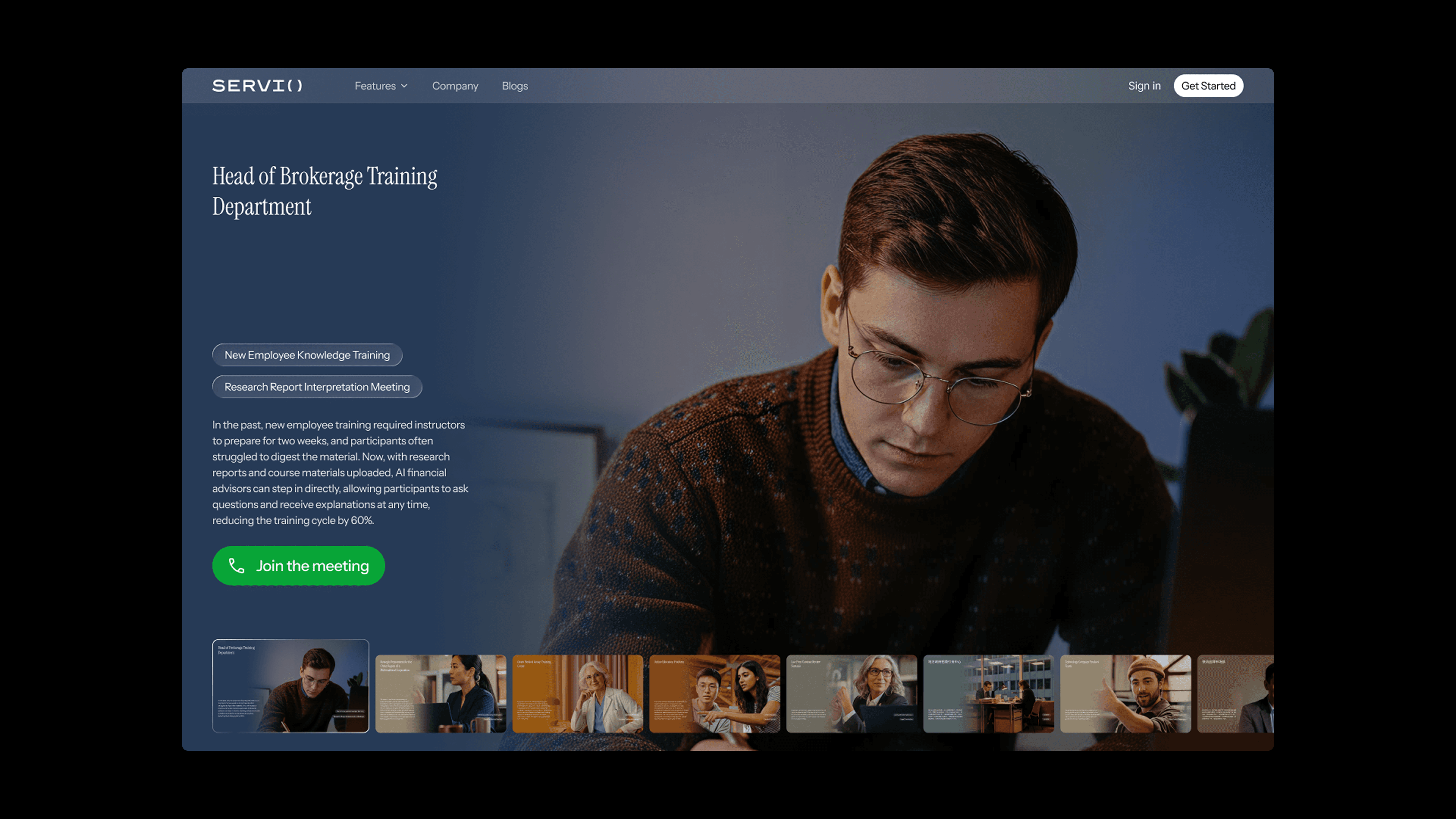
Instead of a generic chat panel, SERVIO ships ten pre-configured professional roles — each with its own expertise, brief, and meeting mode. Every card uses the same cinematic portrait language, the same typographic rhythm, and the same two hover-reveal action chips. Variety shows through the subjects; the system stays quiet.


03 — Marketing site
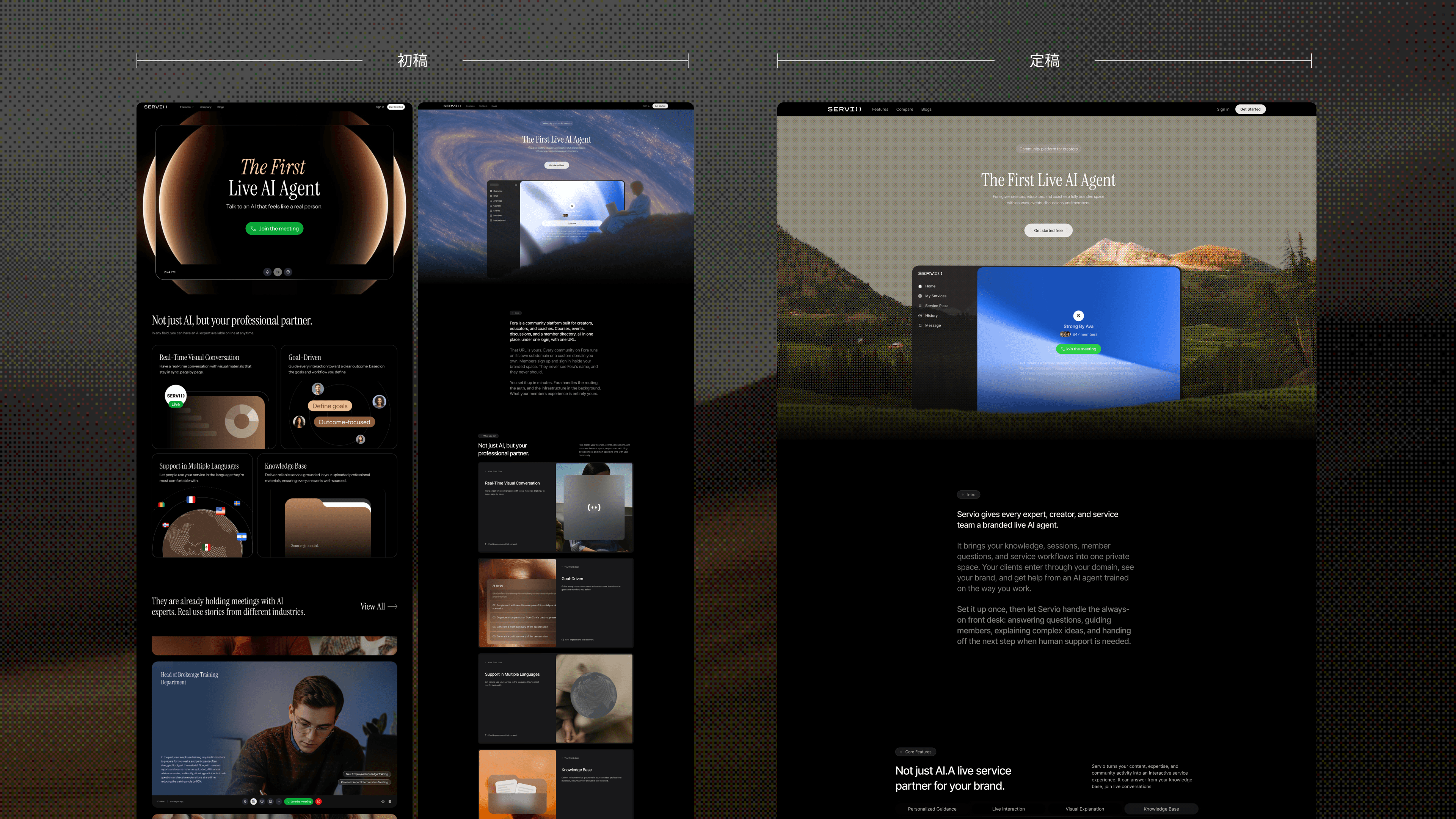
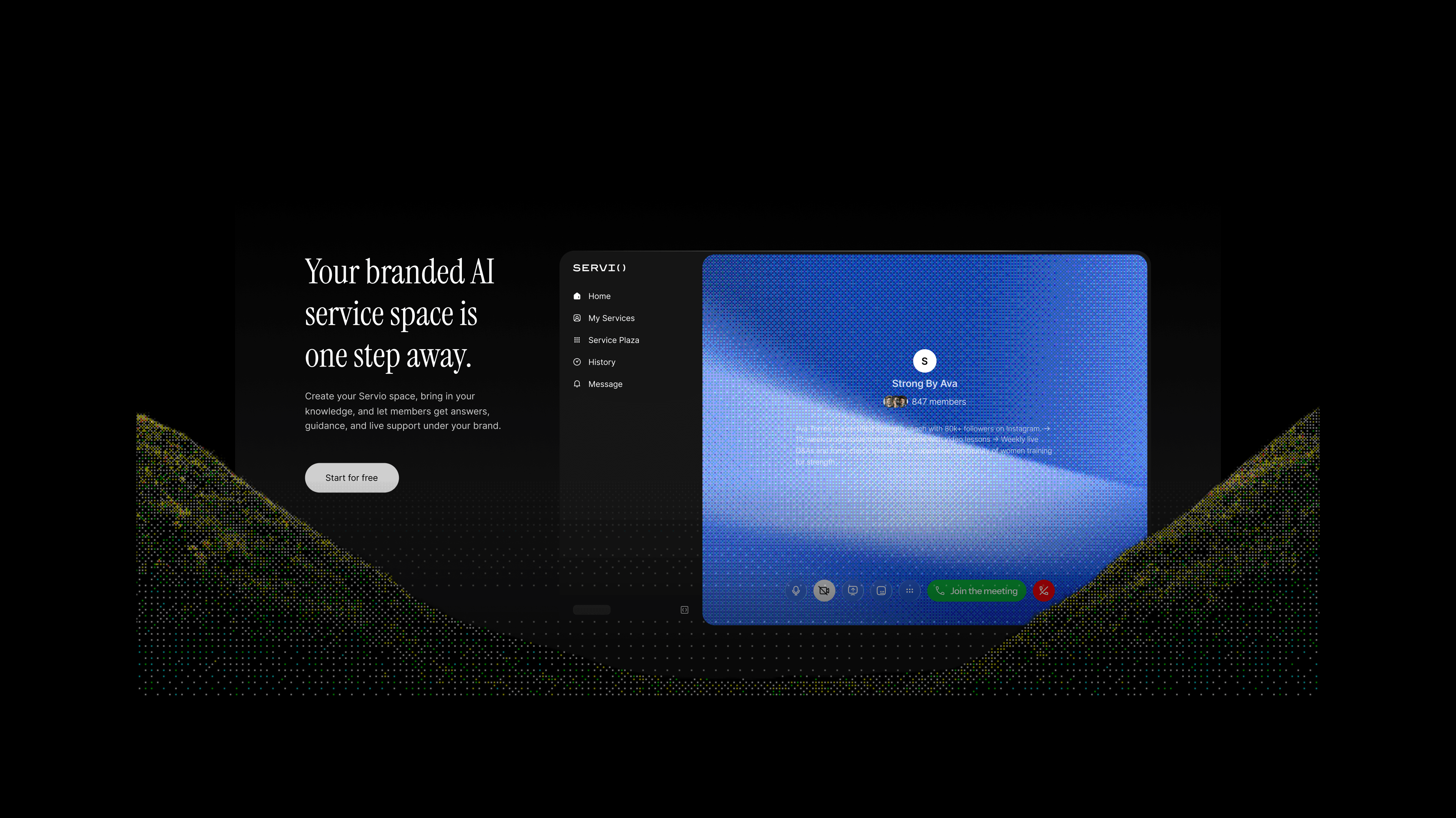
The website
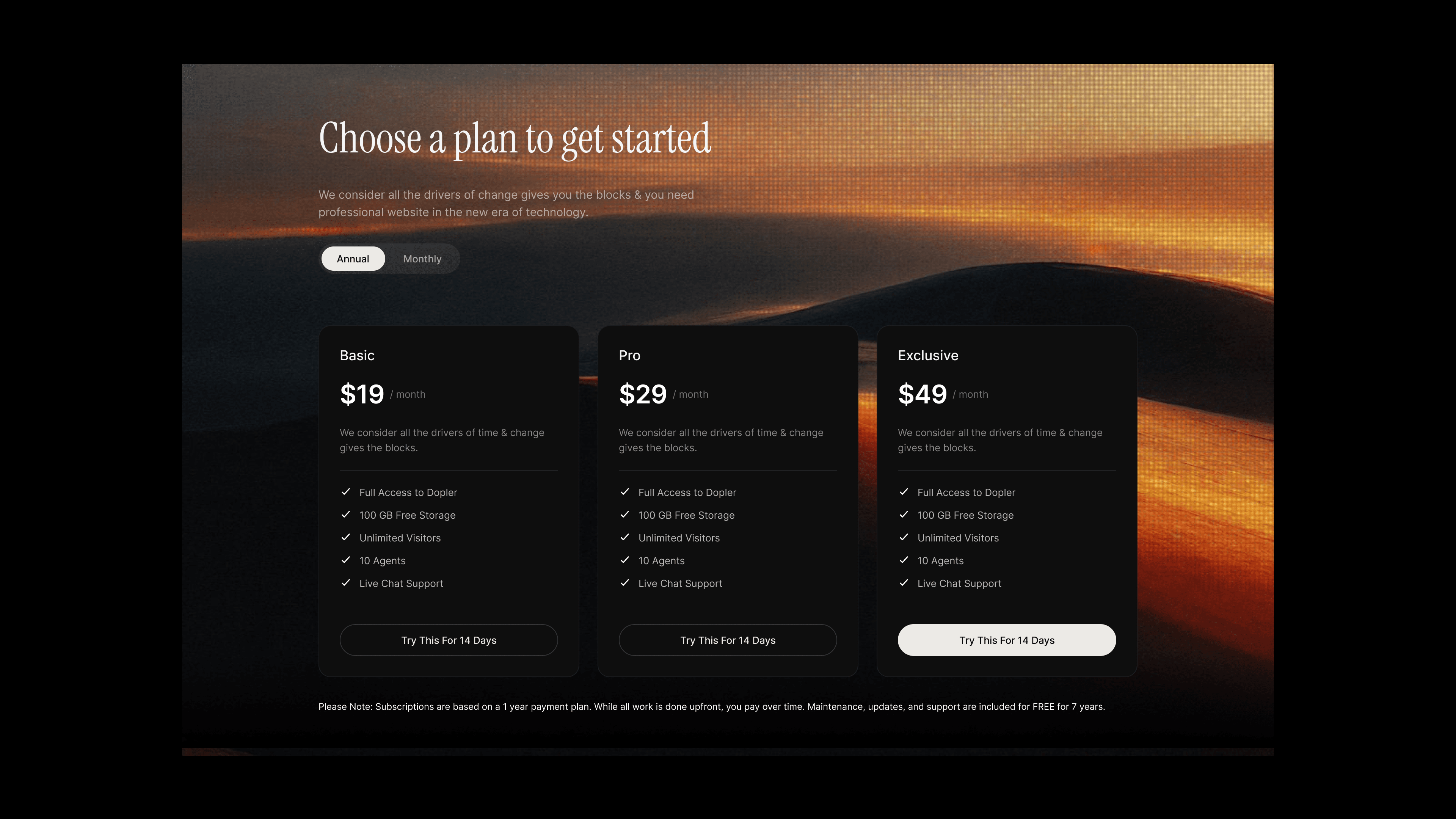
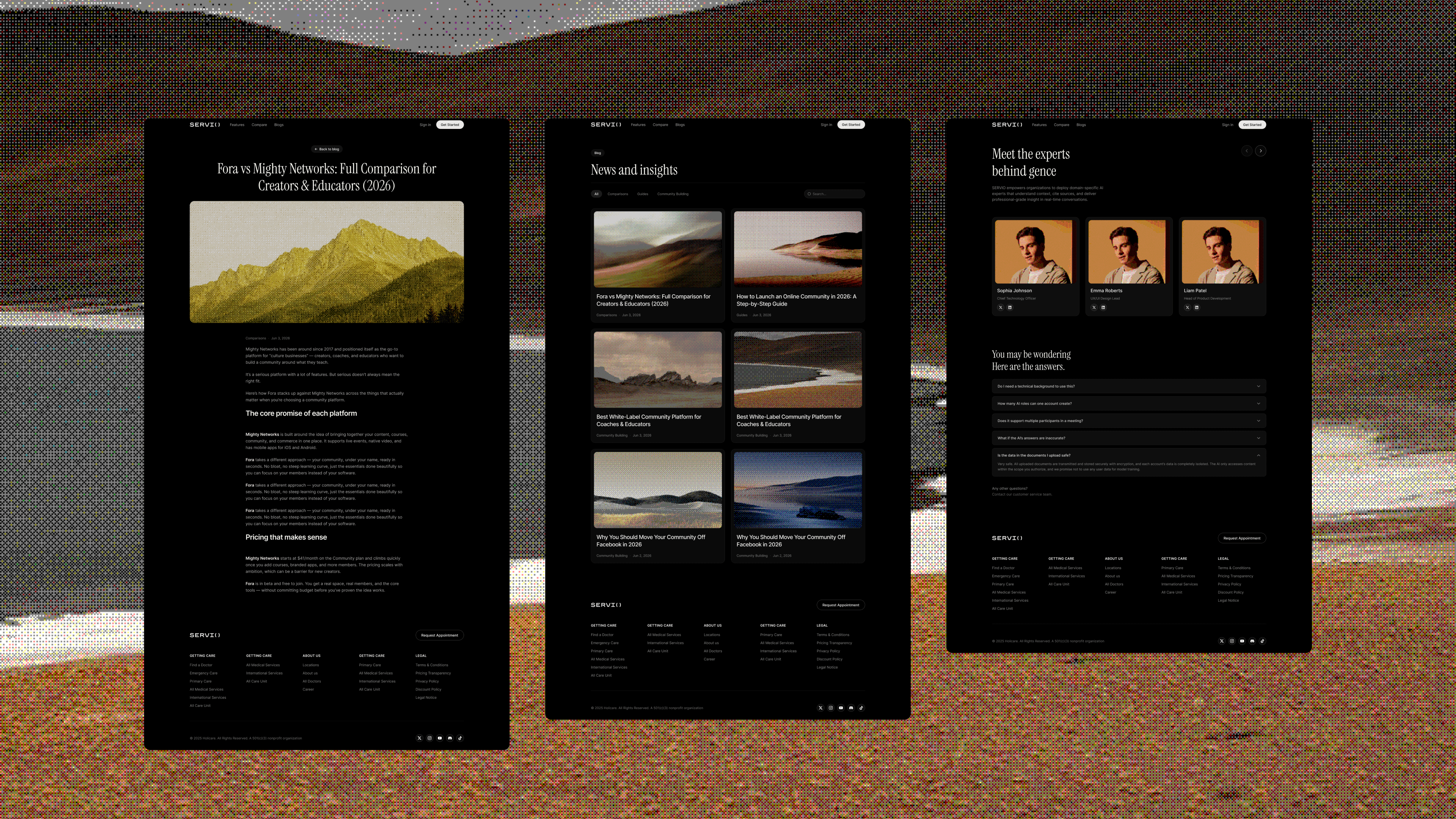
The homepage is the most restrained piece — no feature grid, no testimonial wall, just a seven-second presence that earns the scroll. Pricing, auth, about, and blog all inherit the same dark-editorial language.


The Process
Key decisions
- 01
Choosing Instrument Serif as the display face
Most fintech products use neo-grotesques (Inter, Söhne, Manrope) because they signal "clean, engineered, trustworthy". That's exactly the wrong signal for our audience, because every competitor already owns it.
A display serif with editorial heritage communicates craft, discretion, and a point of view — the same vocabulary Bloomberg's printed research has used for decades. It also visually separates SERVIO from the AI gold rush at a glance.
Paired with Inter for body, we get editorial authority at the top of the hierarchy and neutral efficiency in the workhorse text.
- 02
One system carrying ten very different people
The product sells "domain experts", not a chat interface. That meant ten cards — finance analyst, legal reviewer, medical trainer, policy desk, MNC strategist, etc. — had to coexist without the page feeling like a stock-photo website.
The rule I enforced: the system provides the rhythm, the humans provide the variety. Every card shares the same cinematic portrait framing (subject at upper-third, room bokeh in the negative space), the same type hierarchy, and the same two action chips revealed on hover. Only the portrait, the role, and the scenario copy change. It lets the page scale to 10 roles today and 40 tomorrow without re-skinning.
- 03
Hover-first UI, anti-loudness
I designed FAQ accordions, feature cards, scenario action chips, and most secondary surfaces to reveal only on hover — not because it's trendy, but because the default state is where users spend 90% of their time. If the default is calm, the product reads as confident. Loud default states are what make SaaS feel like a trade show booth.
- 04
A single warm accent instead of a palette
I rejected a multi-color system early. Our audience sees too many dashboards with rainbow charts; to them, color palette = chaos. One warm accent (#ecc1a7) — the color of aged paper, of a whiskey glass, of a dimly-lit private office — carries all the emphasis duties. The auth screen's aurora, the pricing CTA highlight, the 'currently explaining' doc in the meeting room — all the same single warmth.
- 05
Motion as information, not decoration
The site has real motion work — mouse-following ripples, voice waveforms, hero word stagger, scroll-driven sticky hero transitions, speaker waveform in the meeting room — but every single one ties back to communicating something: presence, rhythm, transition between sections. There is no "animate on scroll" for its own sake. I documented easing curves (ease-out-expo for entry, ease-out-quart for exit) and timing (200ms feedback / 700ms entries / 1200ms ambient) so the same rhythm can be reused by future teammates.
Impact
What the work actually did.
01
The problem it solved
Before this project, SERVIO had no visual identity — just engineering. The product could not be shown externally without undercutting the firm's brand promise. My design gave the company the first tool they could actually put on a client screen, across ten different professional scenarios, without apologising for the chrome around the intelligence.
02
How the design answered
The anti-SaaS visual stance (black + warm accent, editorial type, restrained motion, hover-first interaction) transformed SERVIO from a tech demo into a brand asset. Every surface — homepage, ten scenario cards, meeting room, pricing, about, blog, auth — reinforces the same promise: this is not another AI product.
03
Value left behind for the team
- 01
Established SERVIO's brand visual system and design tokens from 0 → 1.
- 02
Authored a motion spec (easing / duration / stagger standards) now reusable across future product surfaces.
- 03
Delivered full-fidelity interaction specs for the product's most complex page (virtual meeting room) and for ten professional-role scenario cards, reducing back-and-forth with engineering.
- 04
Gave the sales & demo team their first on-brand artifact to take into high-stakes institutional conversations — one system that scales from a 3-minute first demo to a 40-minute walkthrough.
Reflection
What this project leaves me with.
The most useful constraint I gave myself was writing the audience manifesto before opening Figma: "These users judge tools by what they signal, not what they do." That one sentence killed dozens of decisions that would have diluted the work — the glowing gradients, the feature grids, the emoji tooltips, the dashboard color-coding.
The second most useful move was forcing ten scenario cards to share one system. It would have been faster to give each role its own visual treatment; it would also have destroyed the brand. The harder path — one rhythm carrying ten very different people — is what lets SERVIO feel like a single product and not a catalog.
If I had three more months, the direction I'd push next is team collaboration: permission layering, comment threads with compliance context, and a way for senior stakeholders to "sign" an AI deliverable before it leaves the room. That's the next frontier where consumer AI is thinnest and institutional AI has to live.
The biggest thing I took from this project is a preference I'll carry forward: I'd rather ship a product that makes people slow down and look, than one that makes them scroll faster.