HD
A 0→1 course platform that teaches independent teachers how to teach online — in one wizard.
- Role
- Lead Solo Designer
- Timeline
- 2025.10 · ~3 weeks of design inside a 3-month build
- Scope
- Platform IA · Teacher Wizard · AI Copilot · Student App
- Year
- 2025
Case at a glance
What it is, what was wrong, and what shipped — before the screenshots.
What this is
The project
HD is an internal 0→1 product at xBuddy: an online-school-in-a-box for independent teachers. One marketing site, a teacher workbench with a 4-step course wizard and an AI Copilot, and a student app for video, notes, and discussion — meant to ship as one loop, not three disconnected tools.
What was broken
The problem
Teachers were forced to think like video producers: upload here, attach slides there, open another window for AI. Nothing matched how they actually plan a course. Students and teachers also lived in two mental models — nothing they did in class fed back to the teacher's dashboard.
What I did
The action
In about three weeks I owned brand direction, platform IA, the full teacher workstation, the wizard + Copilot pattern, and the student experience — one typographic and colour system across all three sides so engineering could build one product narrative, not three.
Outcomes & evidence
0→1
End-to-end platform spec delivered for internal build
Not public; metrics tied to future launch.
~3 wk
Focused design sprint inside a 3-month program
Design calendar — scope kept deliberately primitive-first.
1 loop
Marketing · teacher production · student consumption unified
Qualitative — measured by internal demos & eng handoff.
Narrative — 01
Background
HD is xBuddy's internal 0→1 attempt at answering a very specific question: what would it take for an independent teacher — a university lecturer, a subject-matter expert, a knowledge creator — to 【ship an online course by themselves, in an afternoon, without hiring a production team】?
I was the only designer on the project. The program ran for about three months end-to-end; the actual design sprint was close to three weeks — brand direction, information architecture, the teacher workstation, a 4-step course wizard with an AI Copilot, and the student side (video · notes · discussion), all shipped as one coherent system.
Narrative — 02
Problem
The online-teaching category has two cleanly split tribes: 【massive MOOC platforms that treat teachers as content suppliers】 (great production, no ownership), and 【"knowledge payment" DIY tools】 (full ownership, but the teacher is suddenly a video editor, a designer, and a live-streaming producer at the same time).
For someone who just wants to teach, the gap is specifically:
1. 【Course-building is a content production workflow, not a teaching workflow.】 Every tool asks the teacher to think in "upload a video → attach slides → write a description → set a price." Real teachers think in "outline → what's in each chapter → when is it delivered → who is it for."
2. 【AI sits outside the flow.】 The default pattern in the category is "chat with a bot, then paste the output somewhere." That adds a lane instead of removing one. A teacher who's already overworked doesn't need another window to switch into.
3. 【No shared language between the teacher side and the student side.】 Teachers build in one system, students consume in another, and the two rarely reference each other. A discussion that happens in class never lands back on the teacher's dashboard. A slide the teacher edited never becomes a studyable card for the student.
Evidence
Screens, flows, and brand artifacts — the visual proof behind the narrative above.
01 — Brand & platform
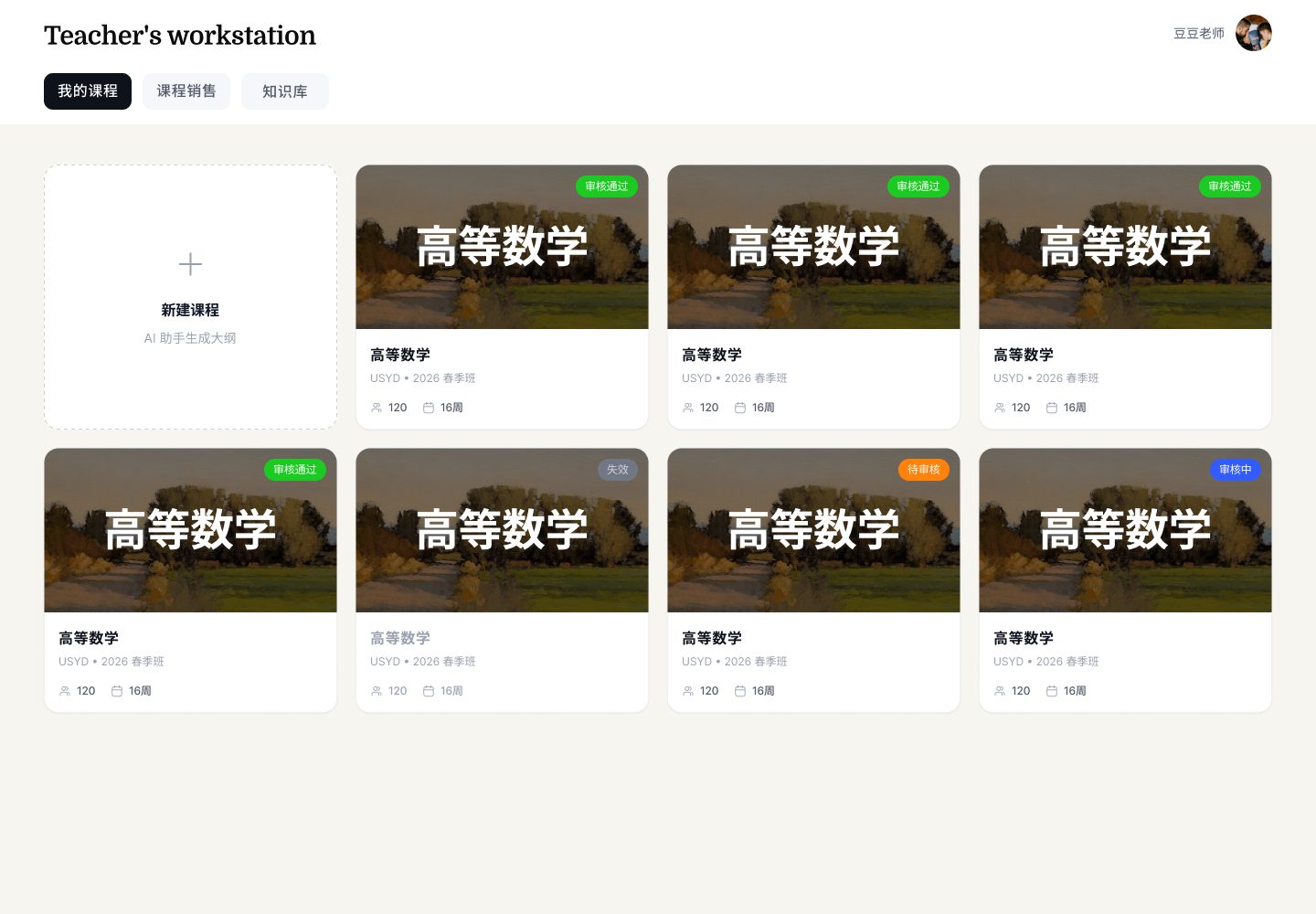
Build in 30 minutes, ship it yourself
The marketing site sells the platform to teachers, not to students. A serif headline, a single painterly landscape, and one promise: 【Exclusive Knowledge Online School】. The teacher's personal site inherits the same system — a standalone storefront per teacher, not a MOOC catalogue page.

02 — Teacher's workstation
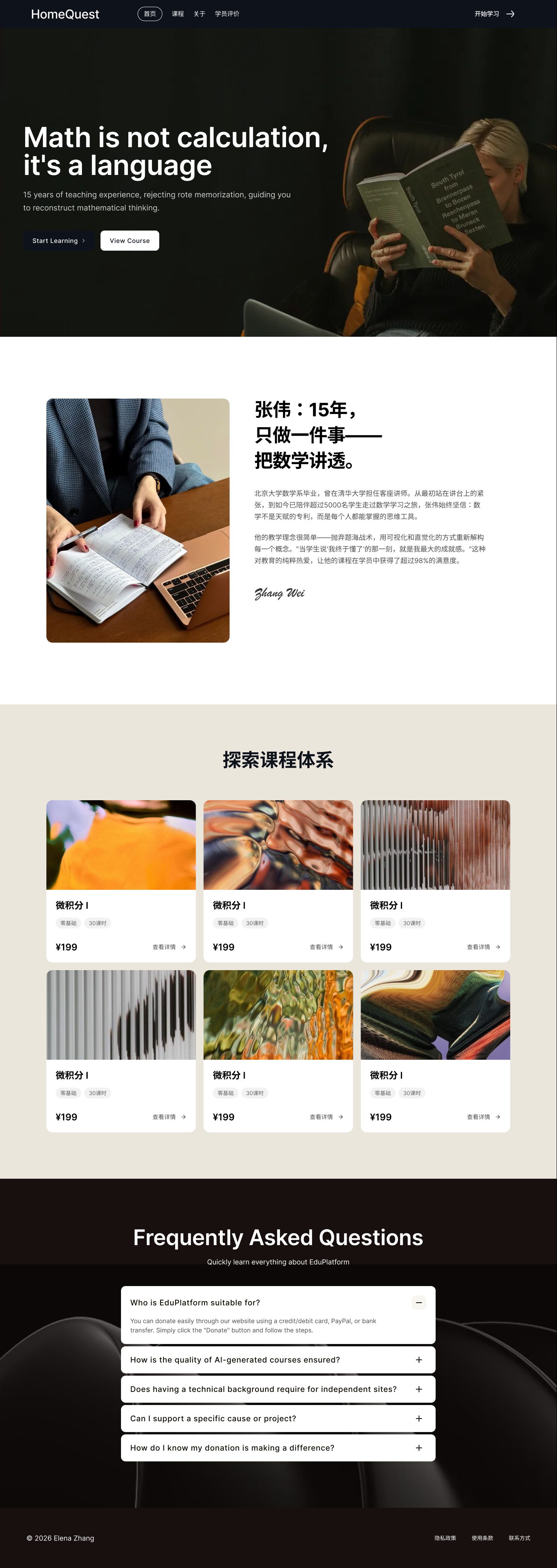
Courses, sales, knowledge base — one dashboard
The workstation collapses the teacher's three jobs — making courses, selling them, maintaining a knowledge base — into one tabbed surface. Review states (pending, approved, suspended, in-review) are typed at the card level so the teacher can see their whole operation at a glance.
03 — 4-step course wizard
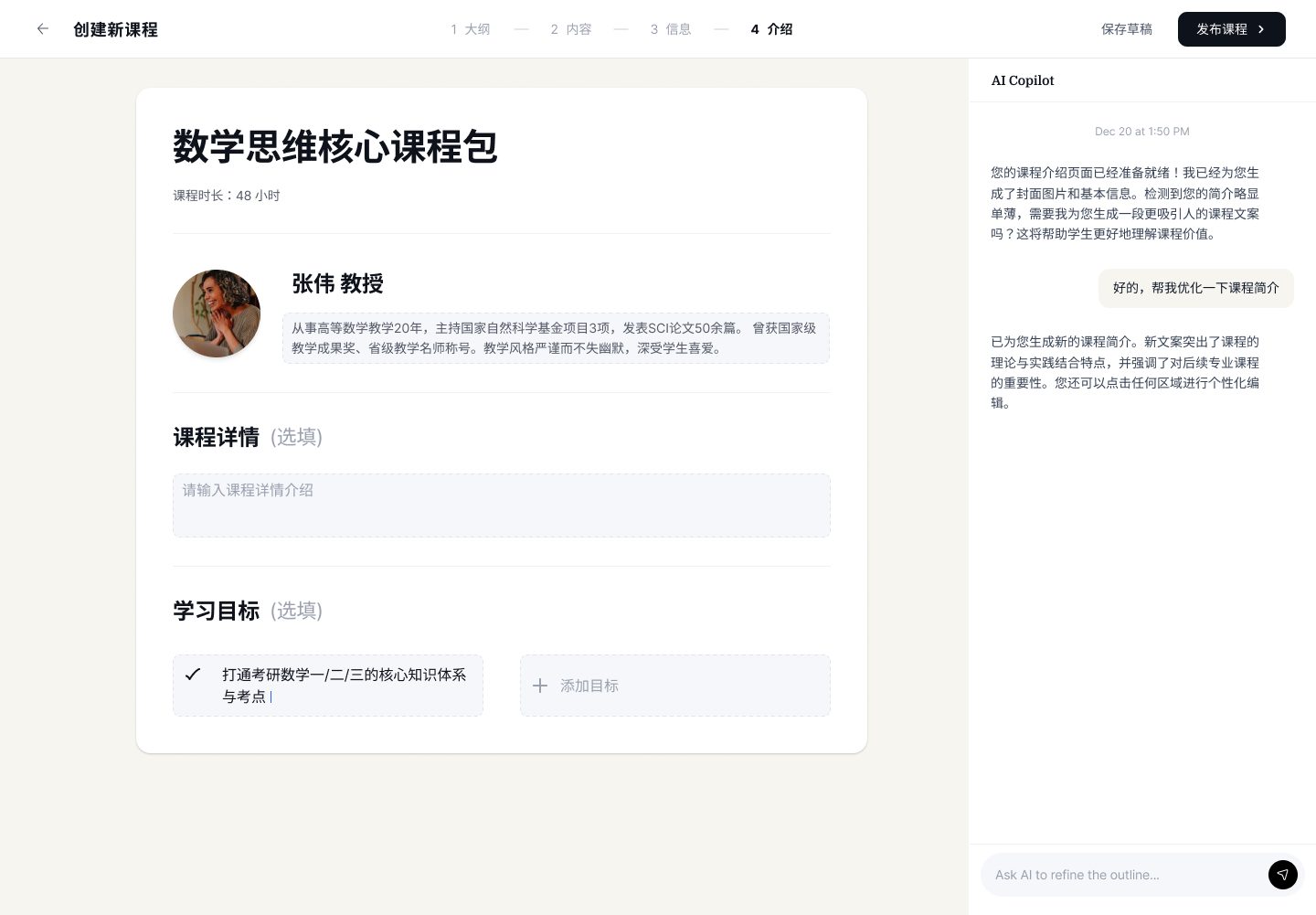
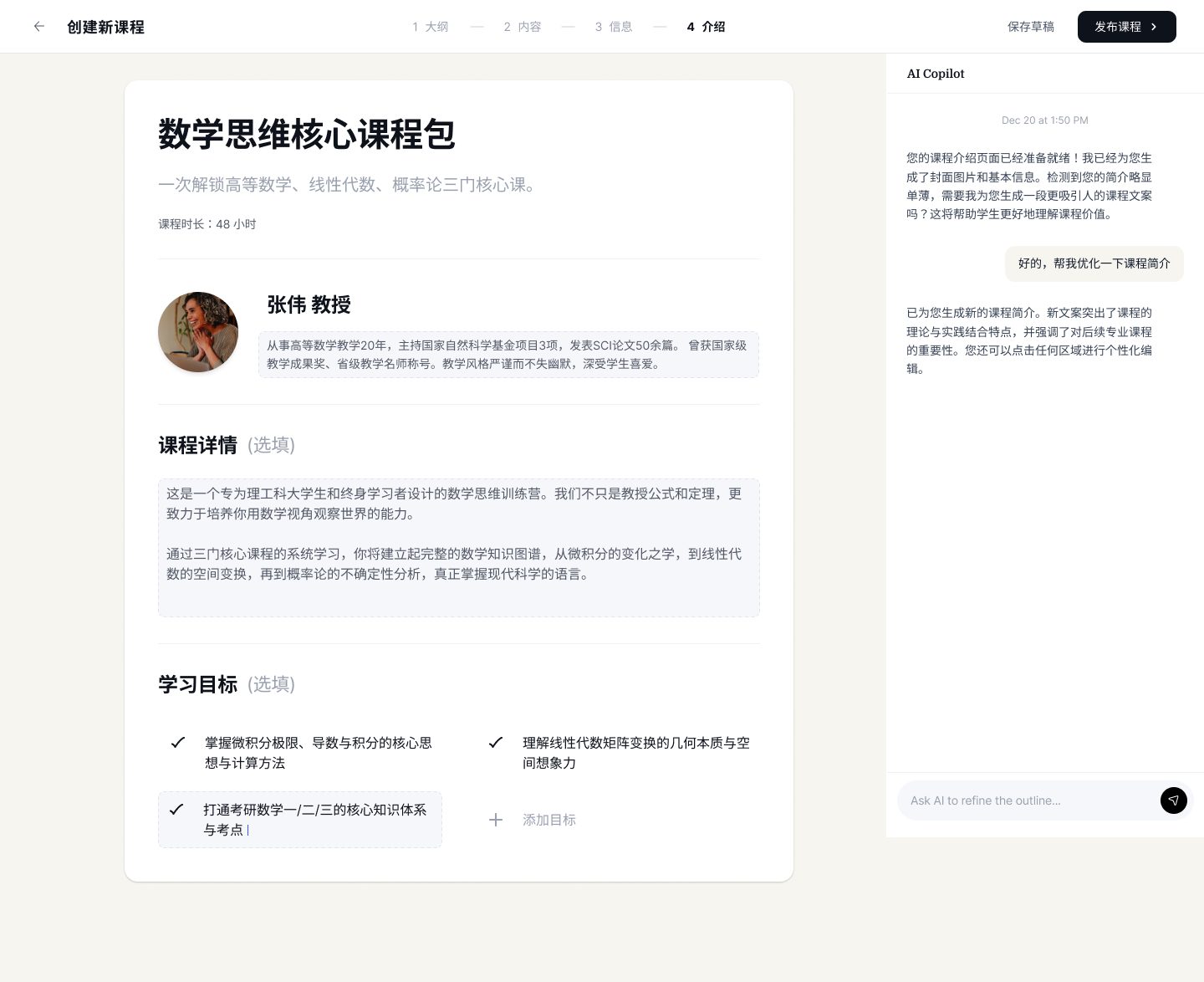
Outline → Content → Info → Intro
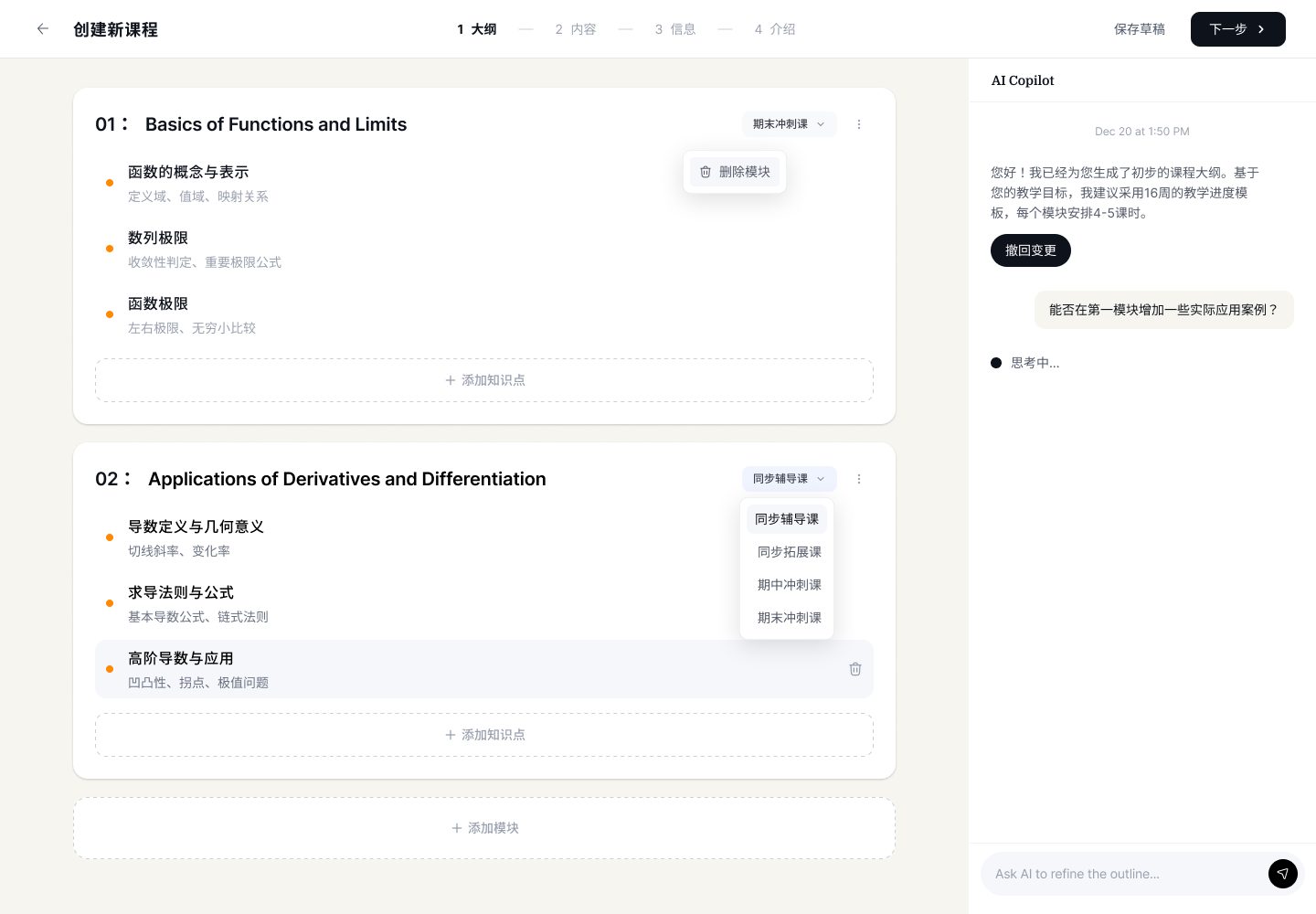
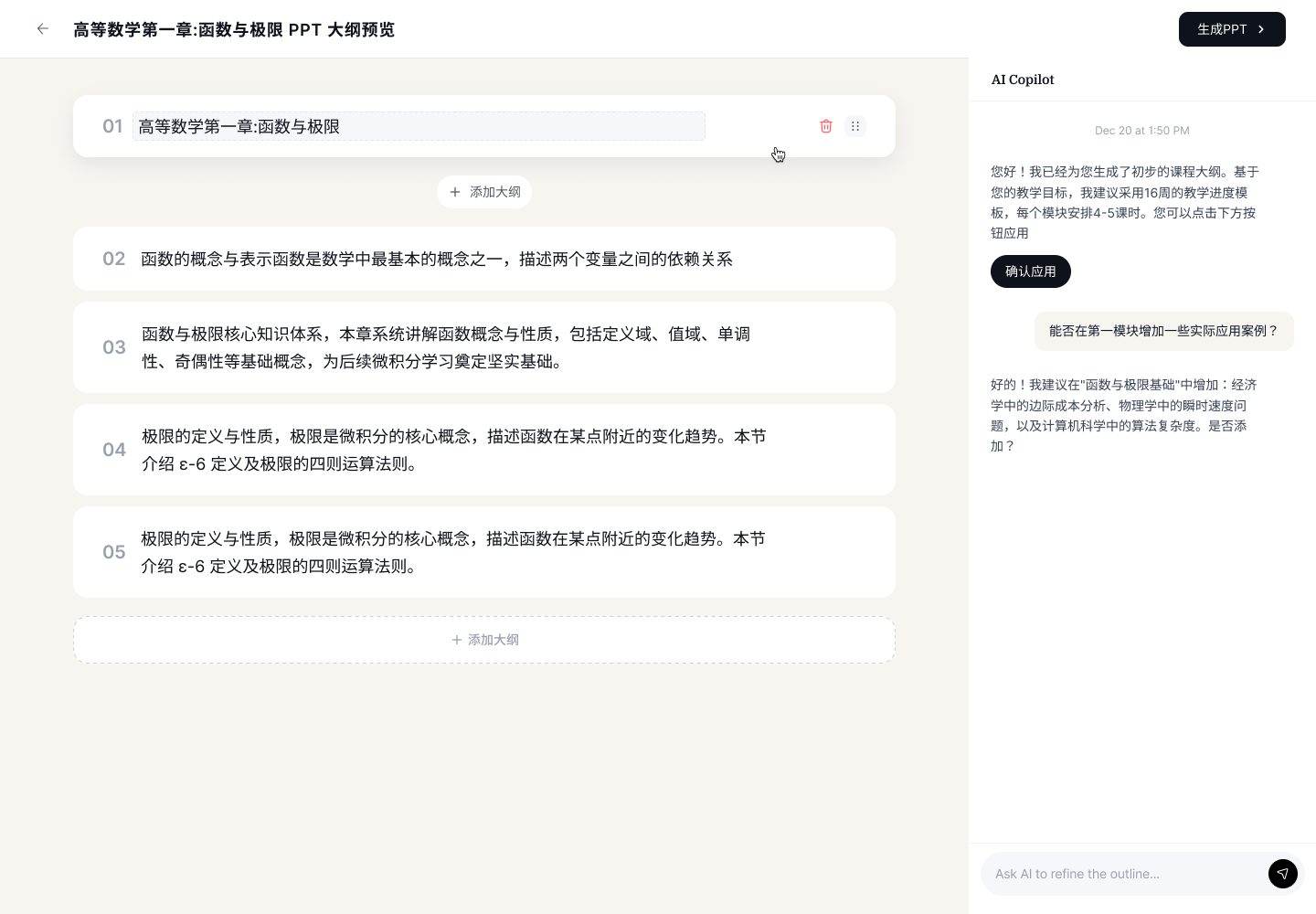
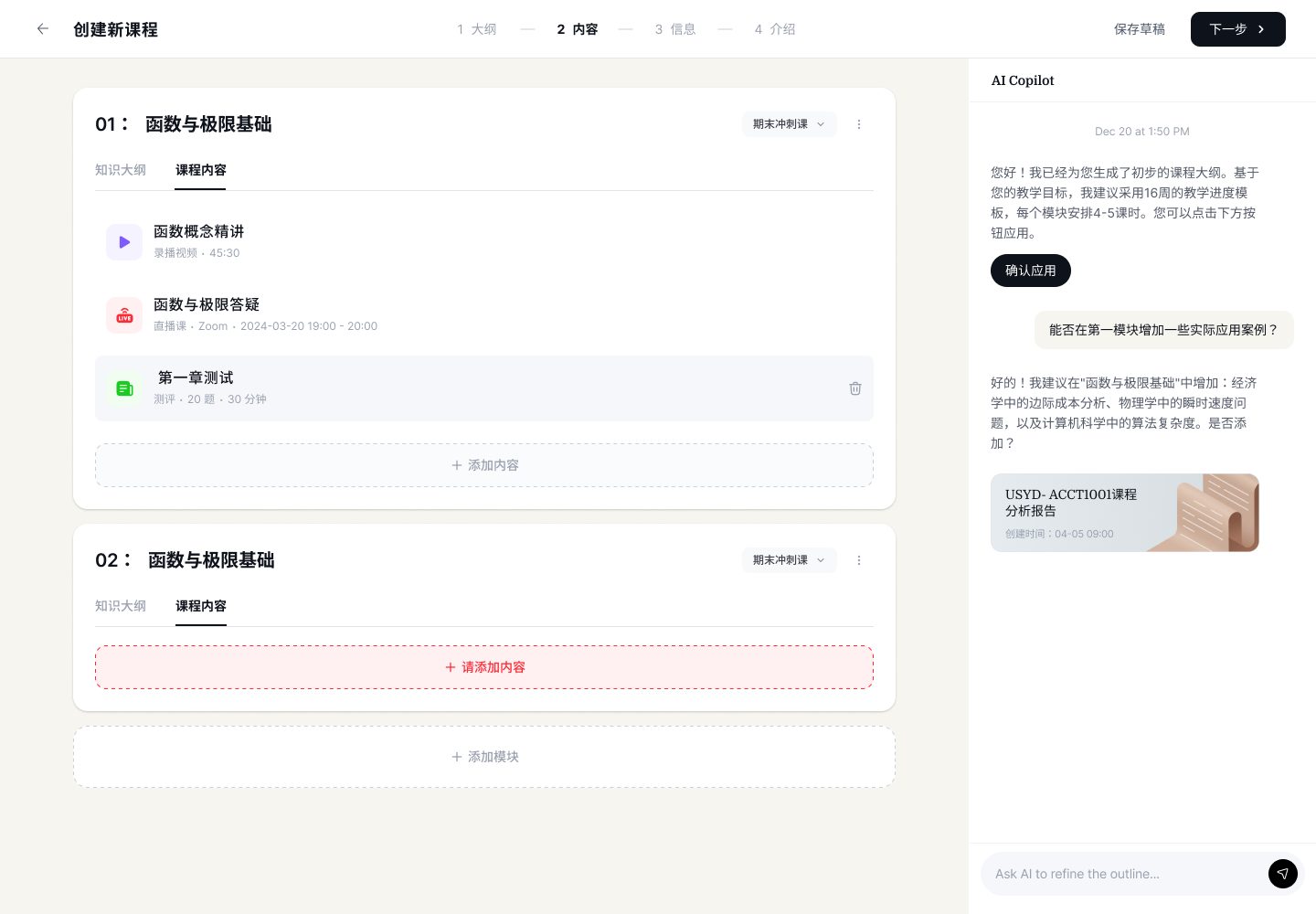
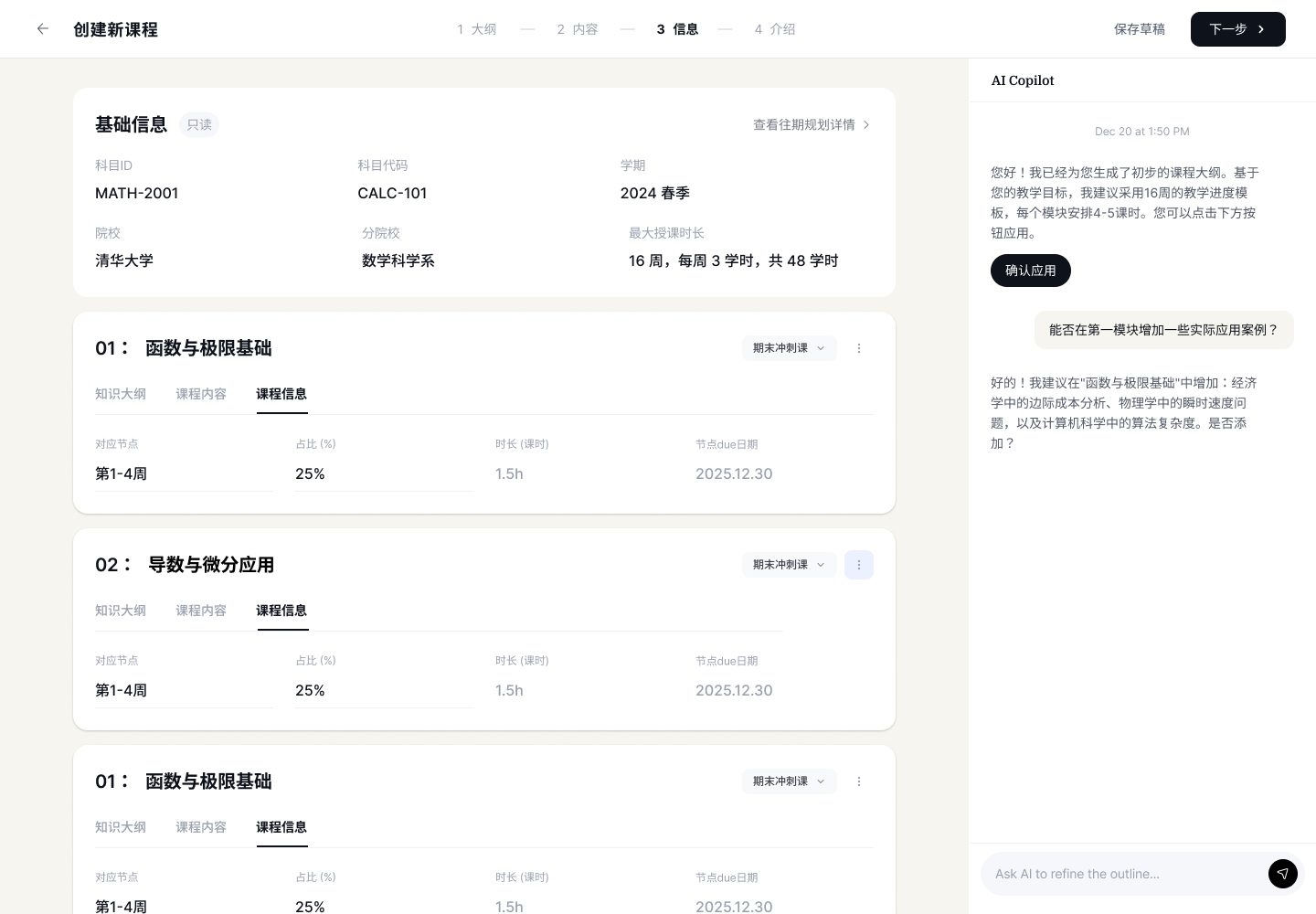
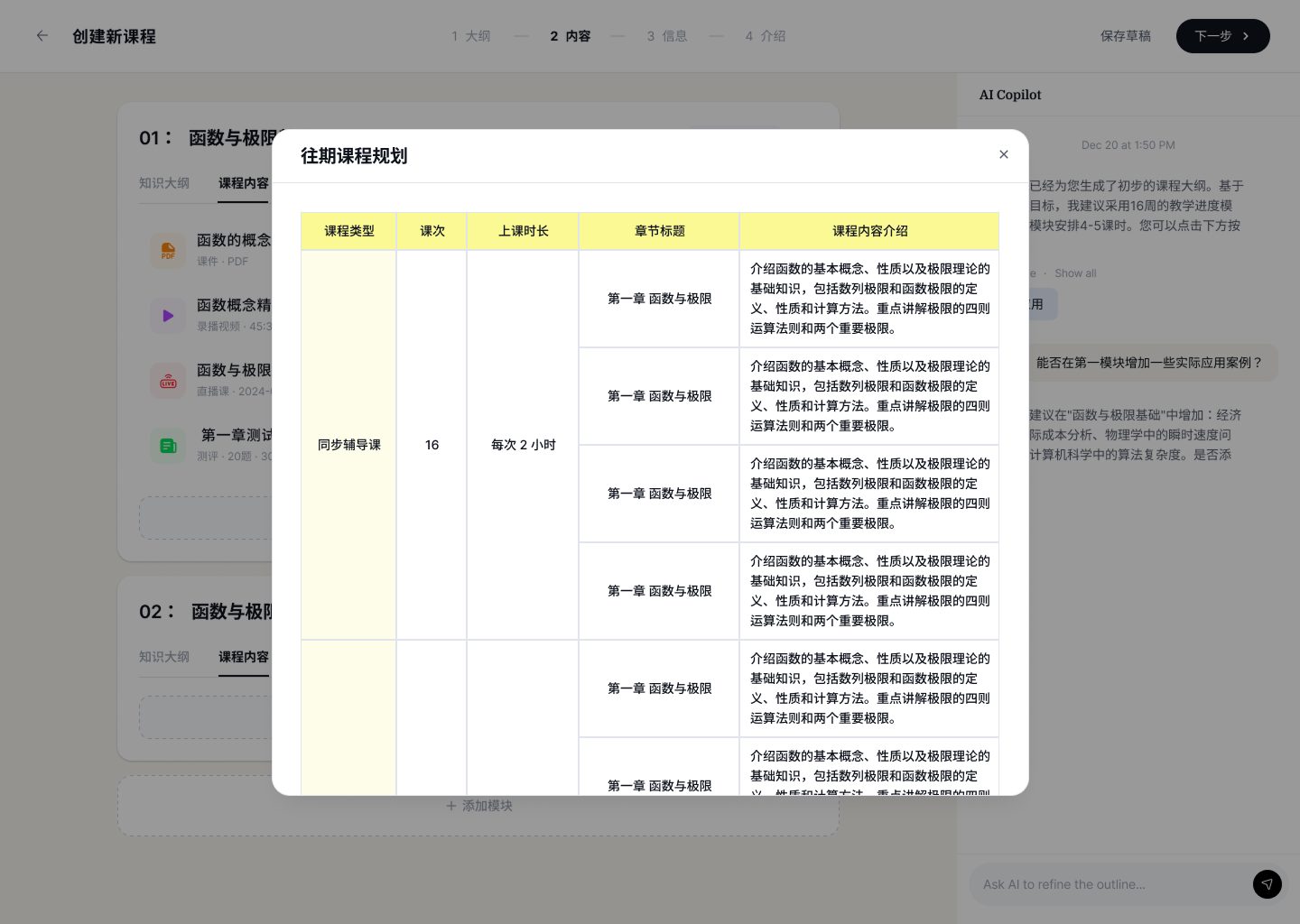
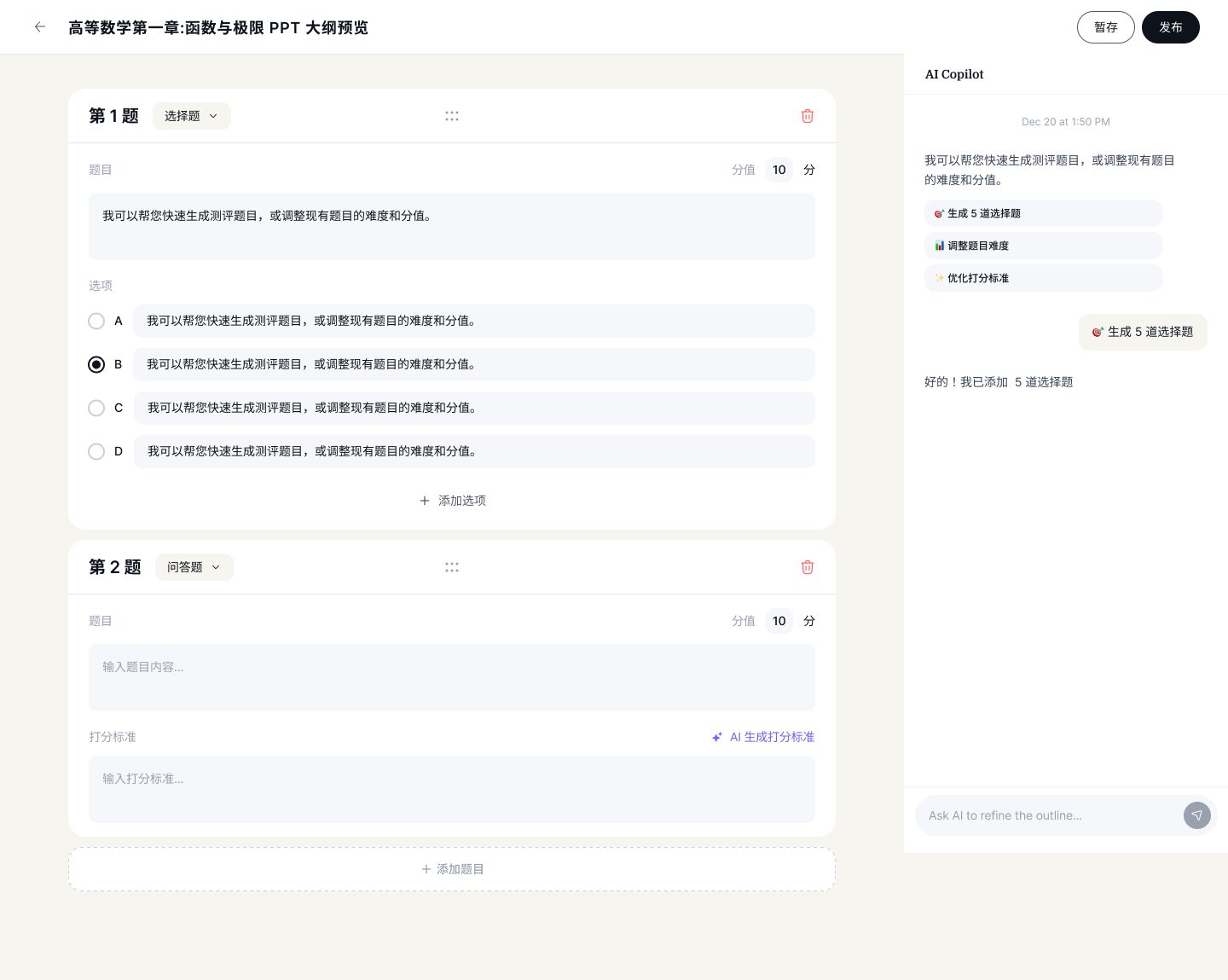
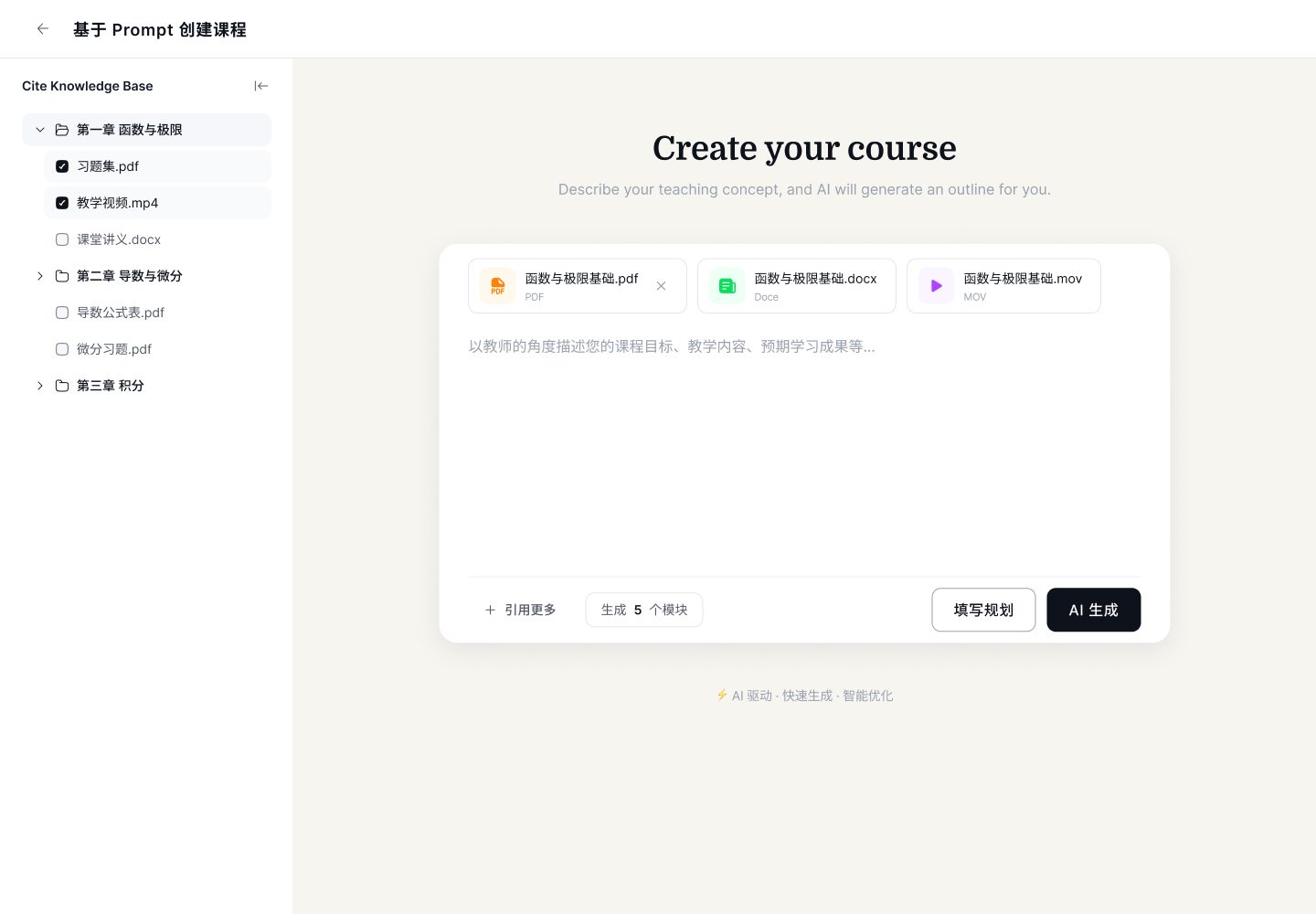
The wizard maps 1:1 to how a teacher actually plans a course. Step 1 (Outline) generates a logical scaffold with the AI Copilot in the right rail. Step 2 (Content) attaches slides, video, livestream or assessment to each module. Steps 3–4 close the loop with scheduling and the student-facing intro page.
04 — Content modules
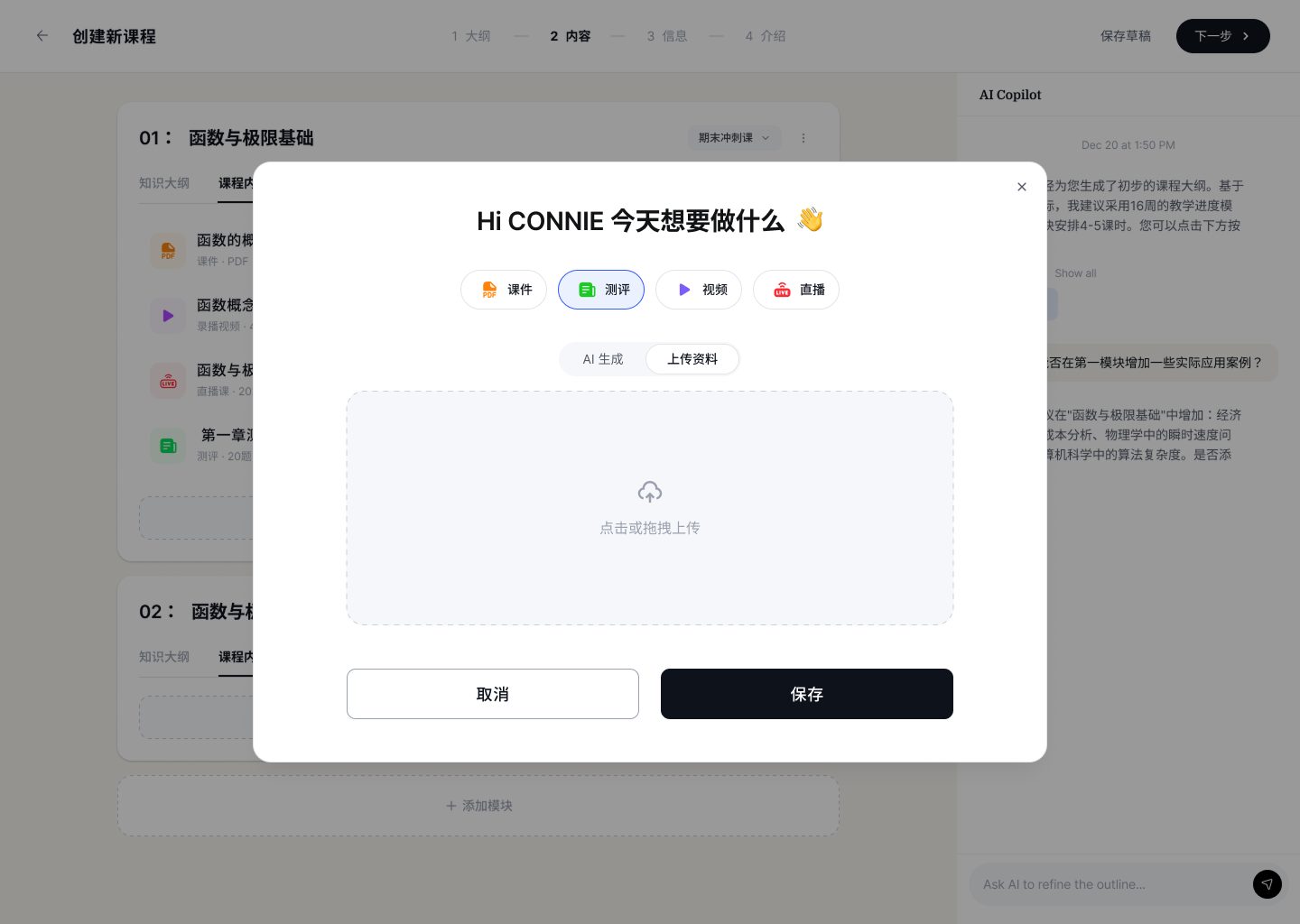
One modal, four content types
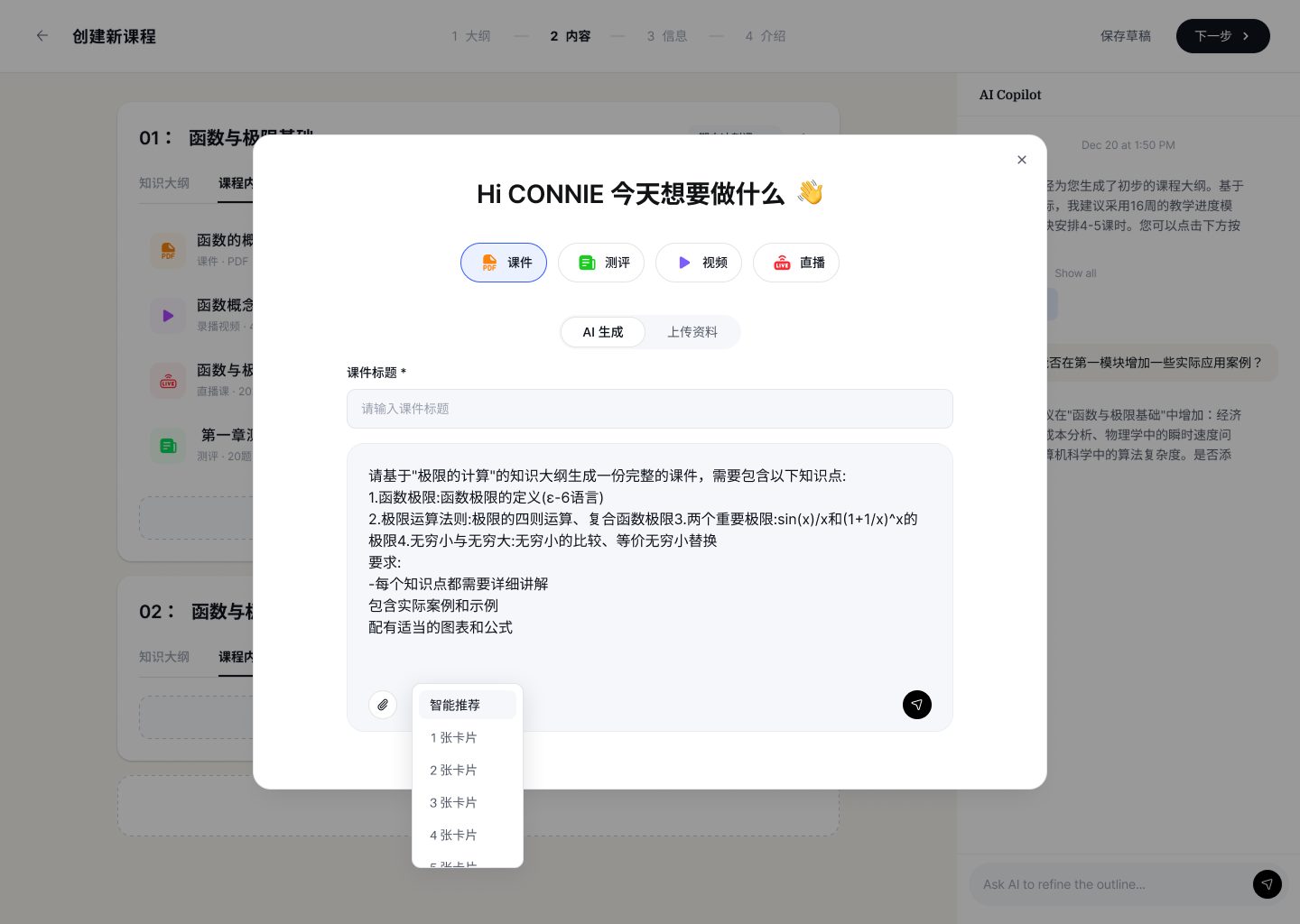
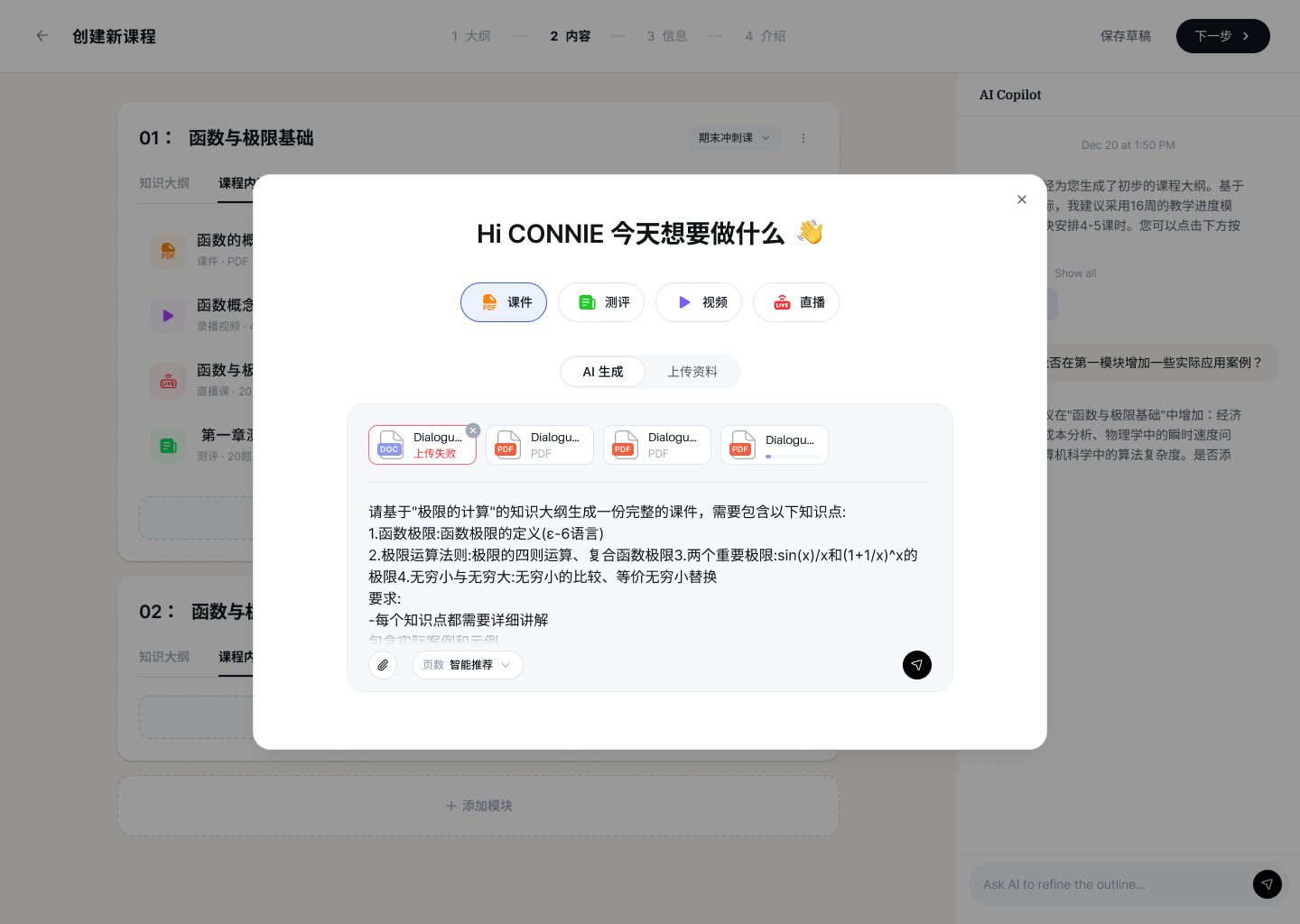
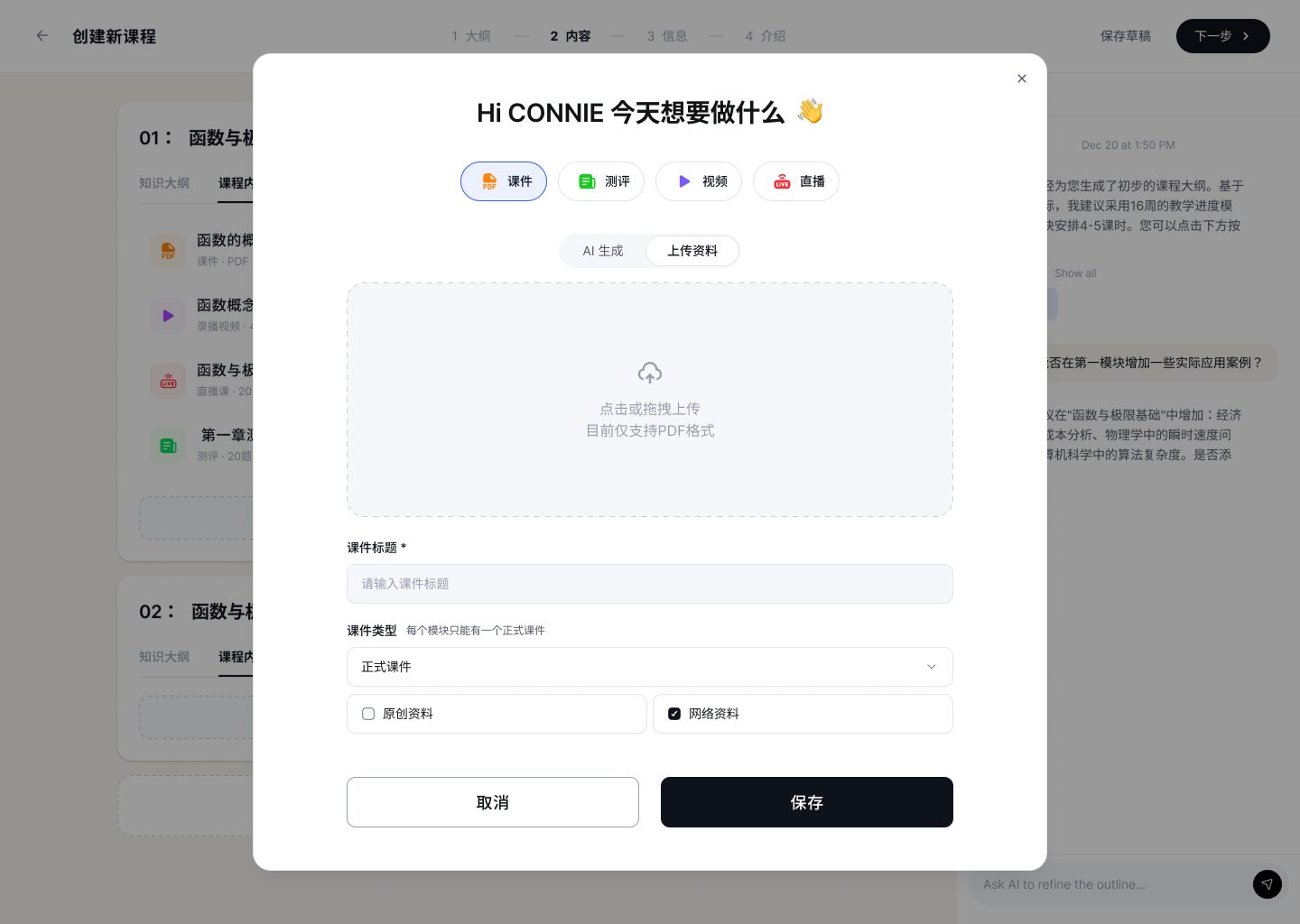
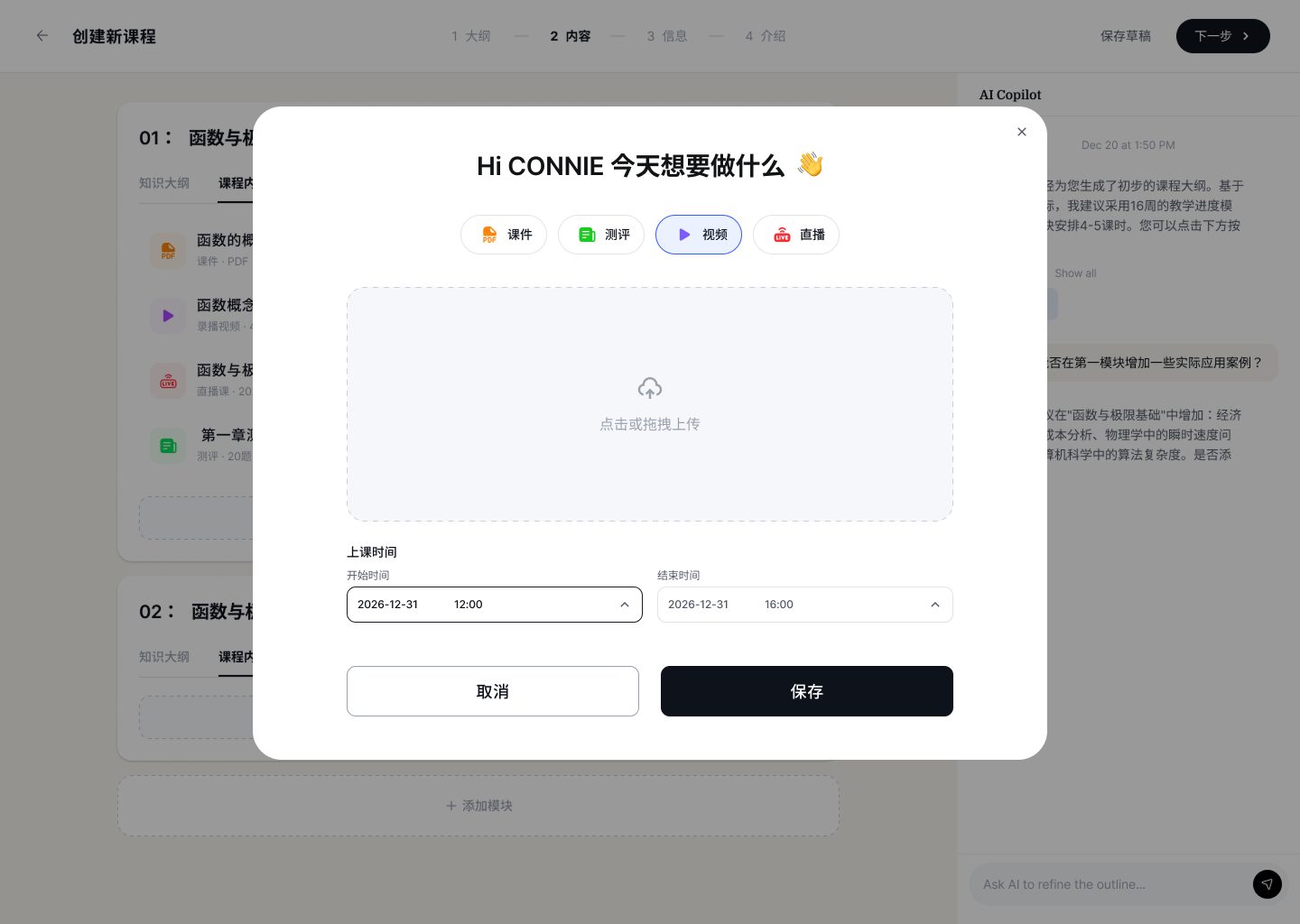
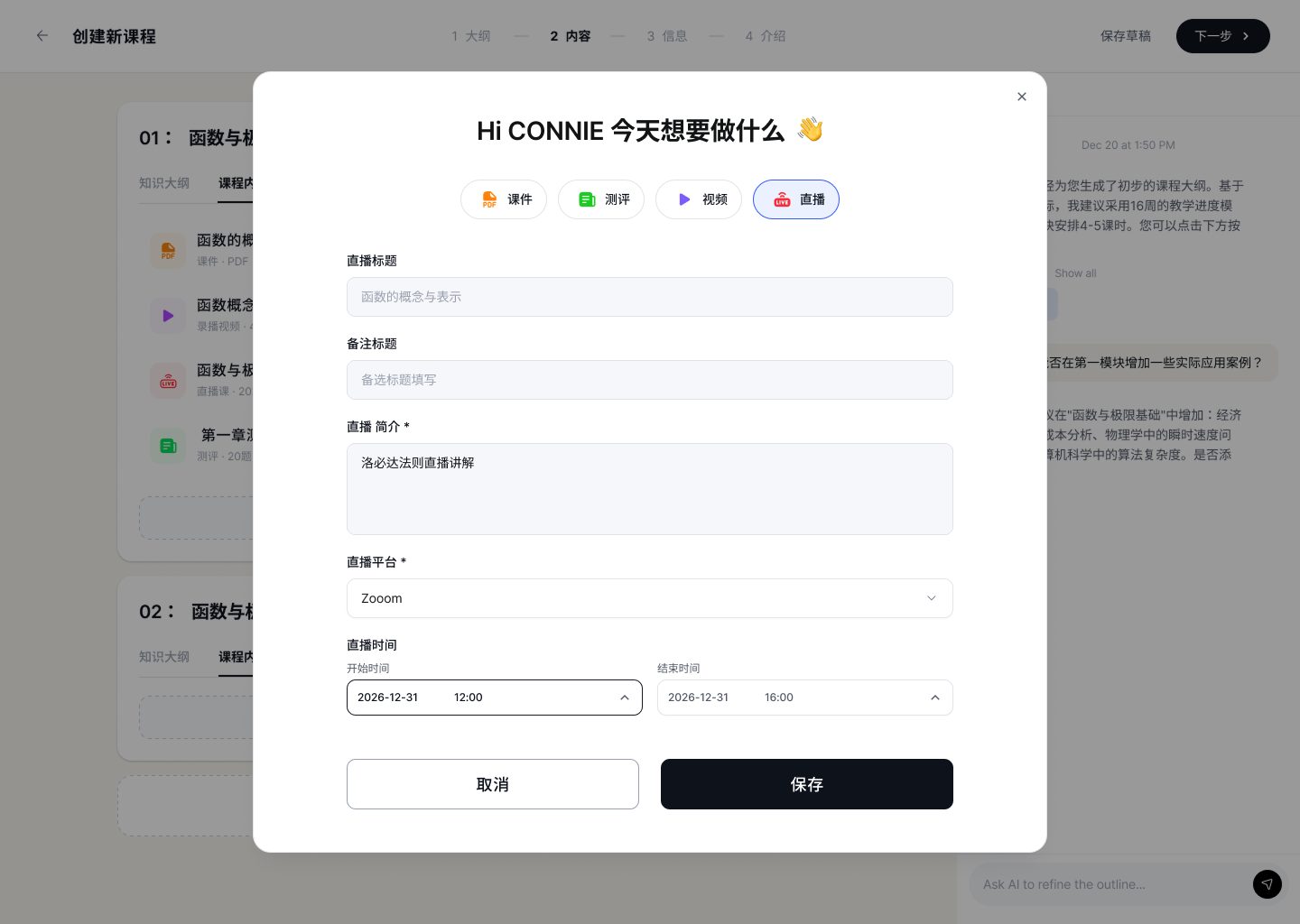
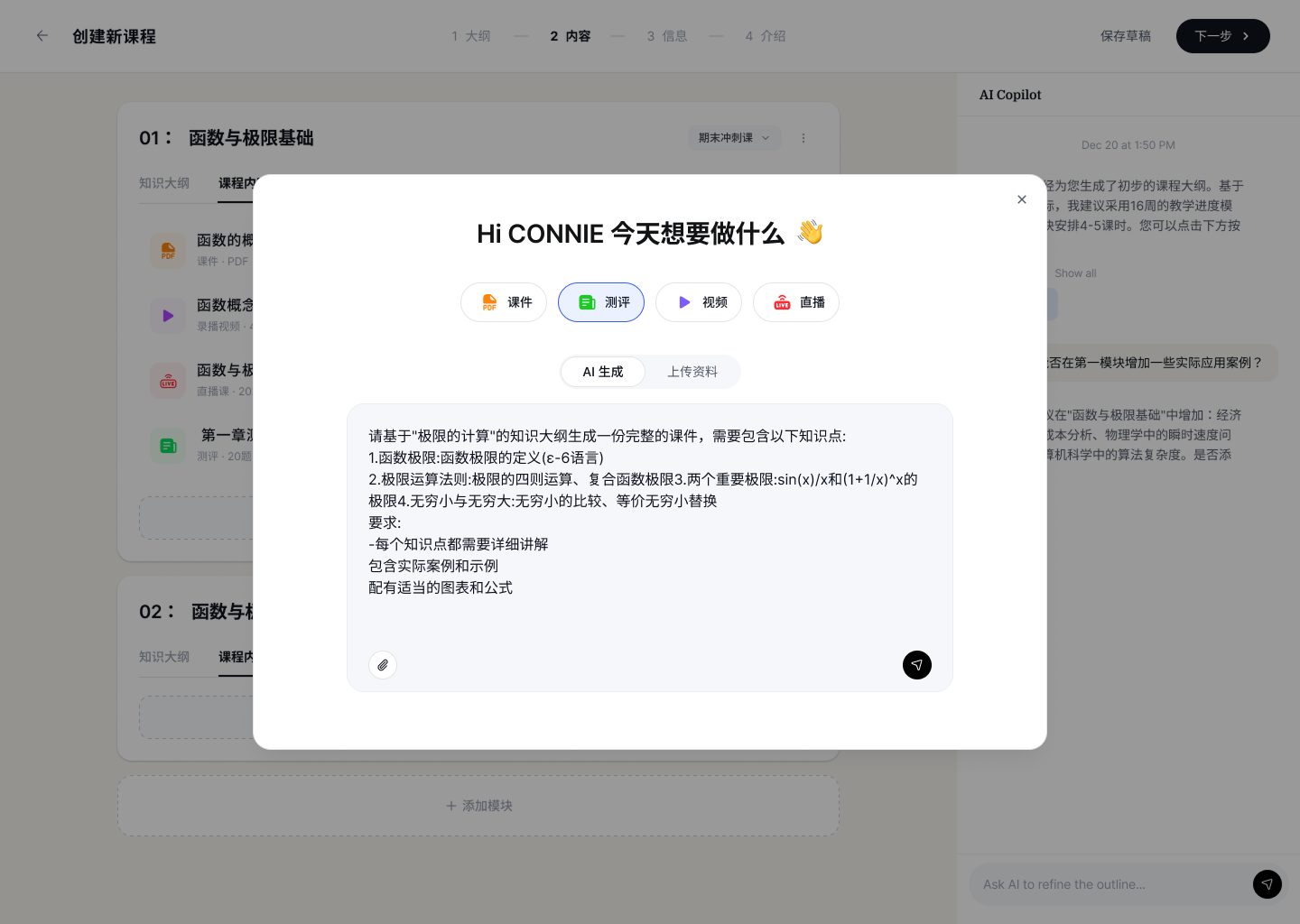
Inside Step 2, every module can grow in four directions — slides, assessment, video, livestream. The add-content modal unifies them behind a single greeting ("Hi CONNIE, what are we making today?") and one shared AI-generate vs upload toggle. The teacher only needs to learn this pattern once.
05 — AI PPT builder
From outline to deck, with receipts
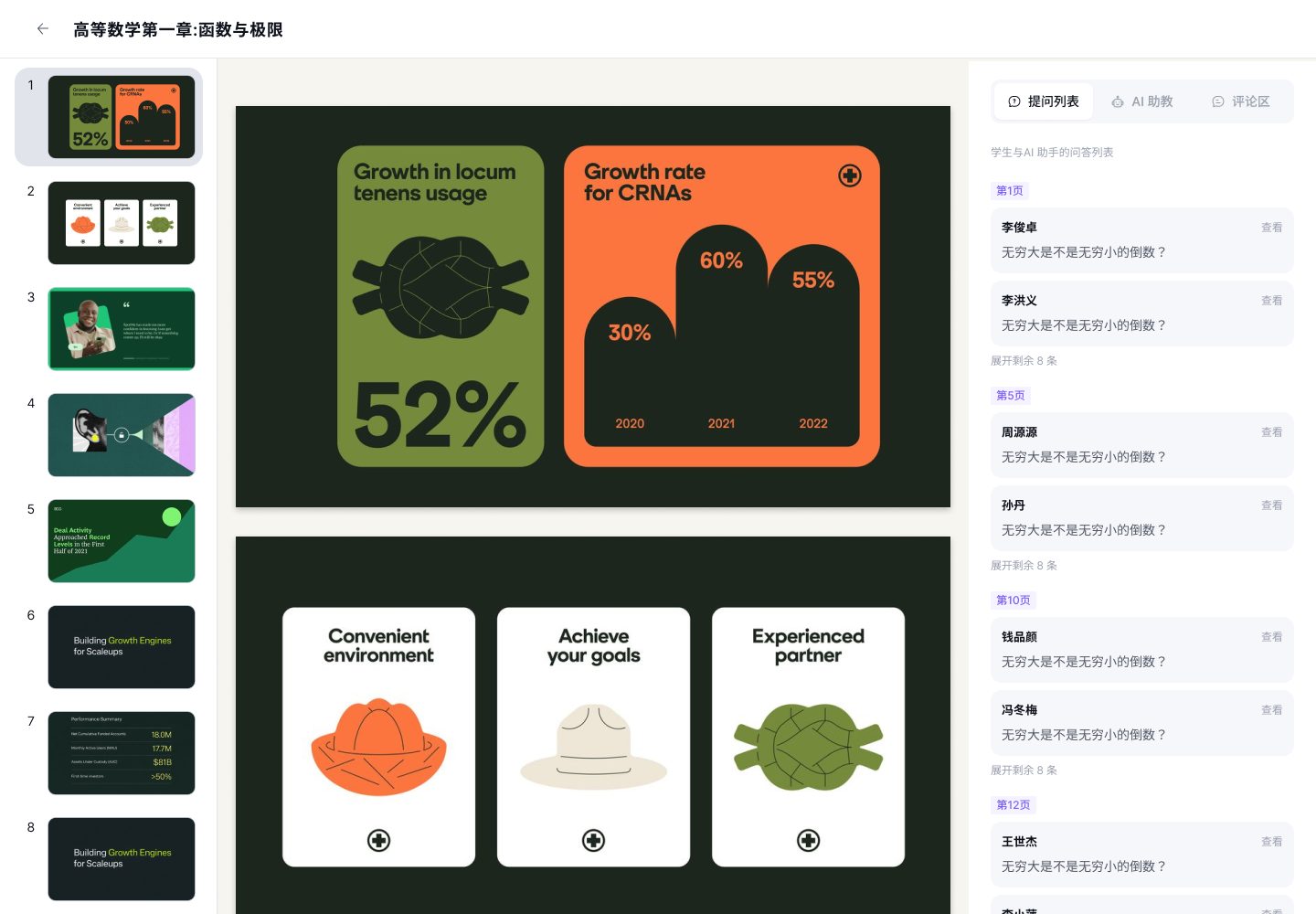
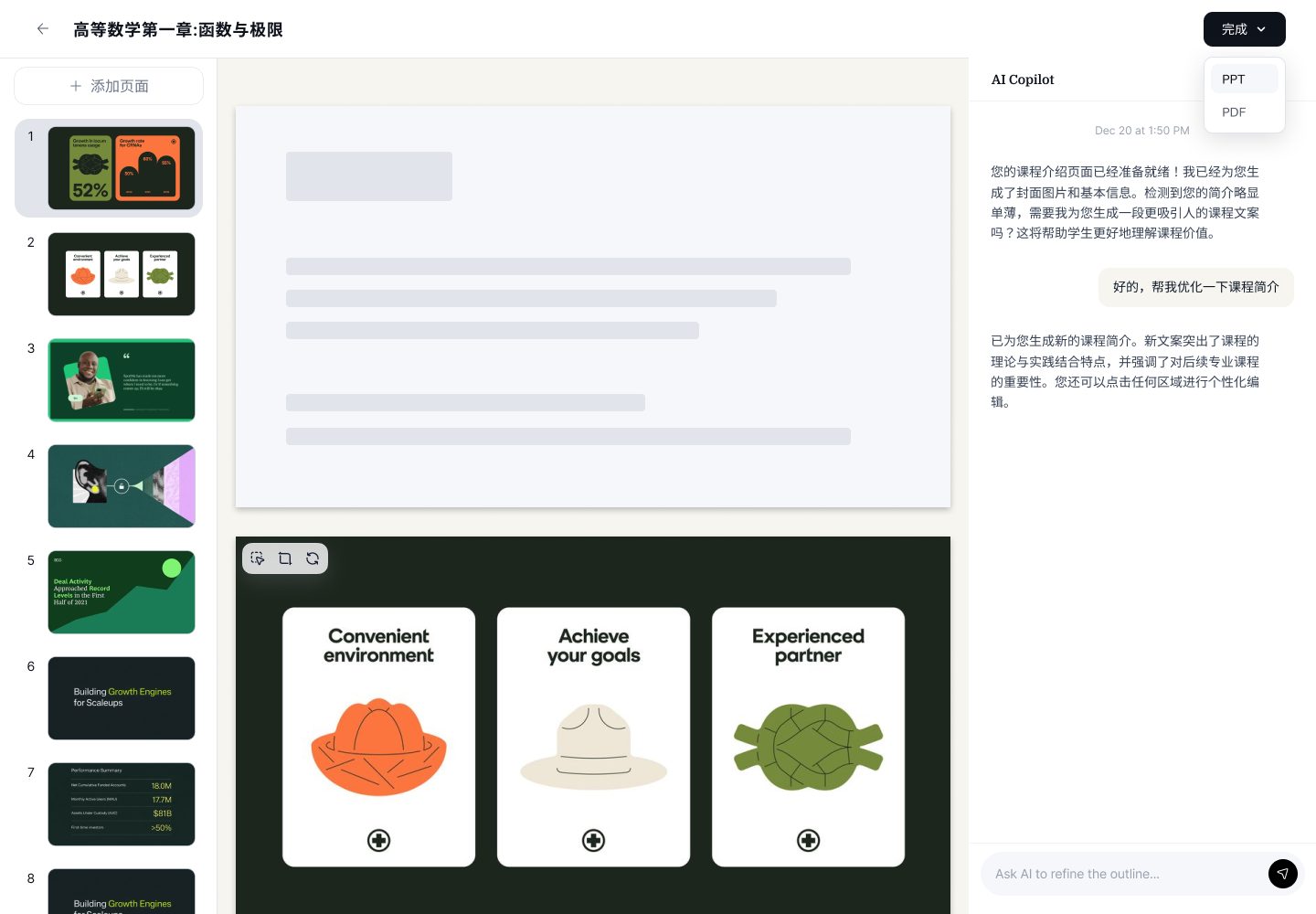
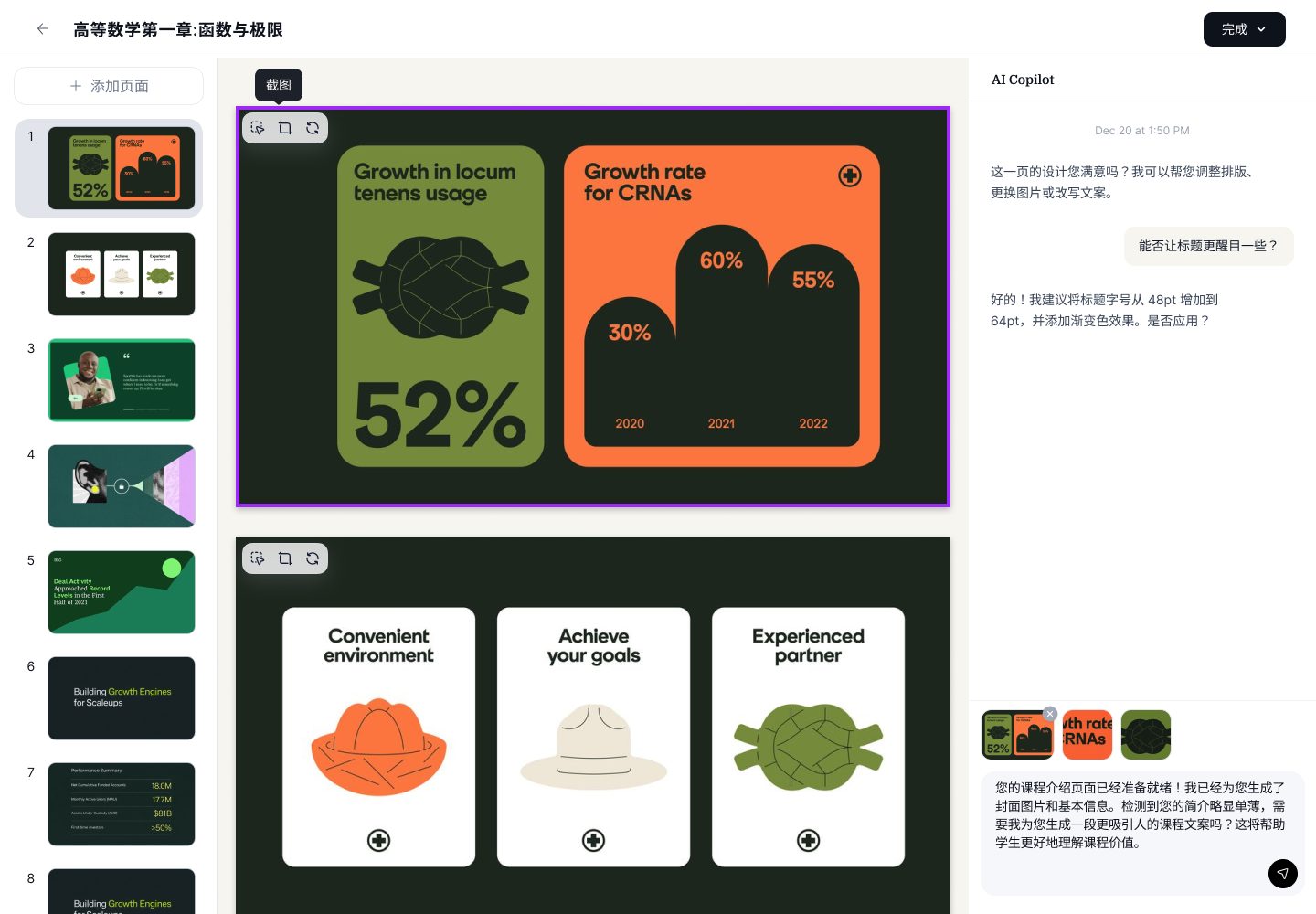
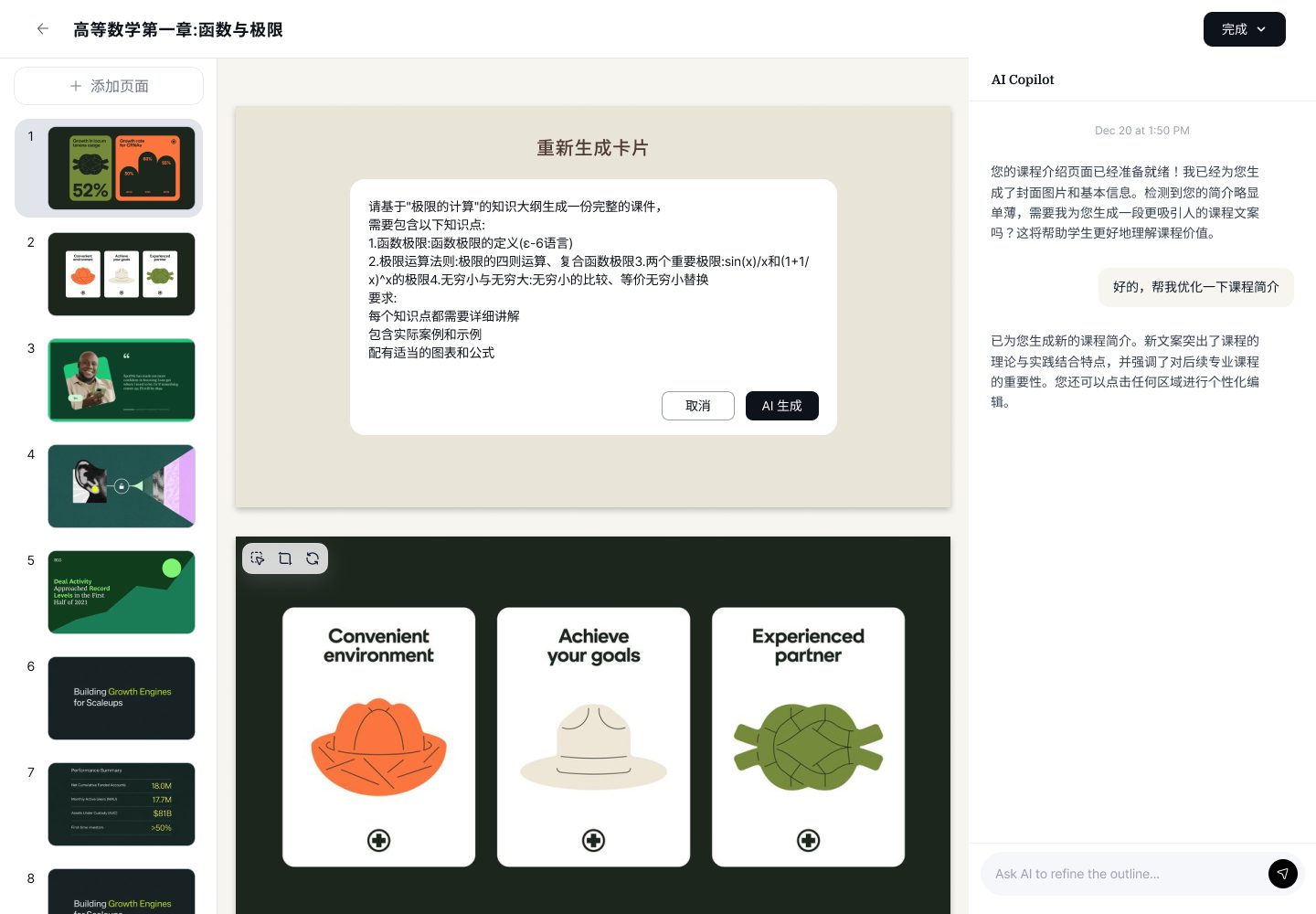
The slide builder is where the AI Copilot earns its keep: turn a module outline into a themed deck, then refine page-by-page with the same Copilot — "can you make the title more striking?" The slide list is always visible on the left so the teacher keeps a bird's-eye view while editing a single page.
06 — Student side
Watch · Note · Discuss — shared language, other end
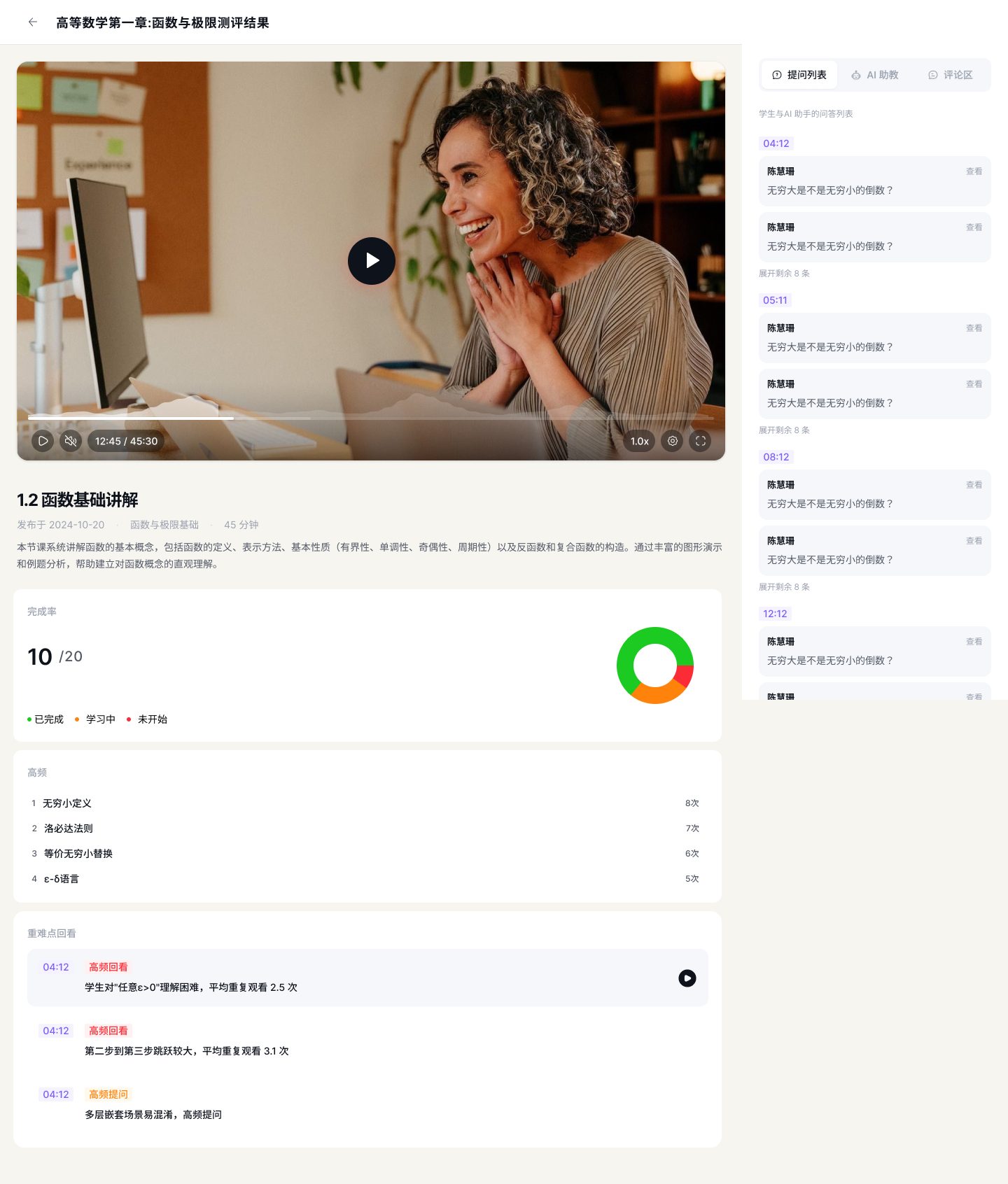
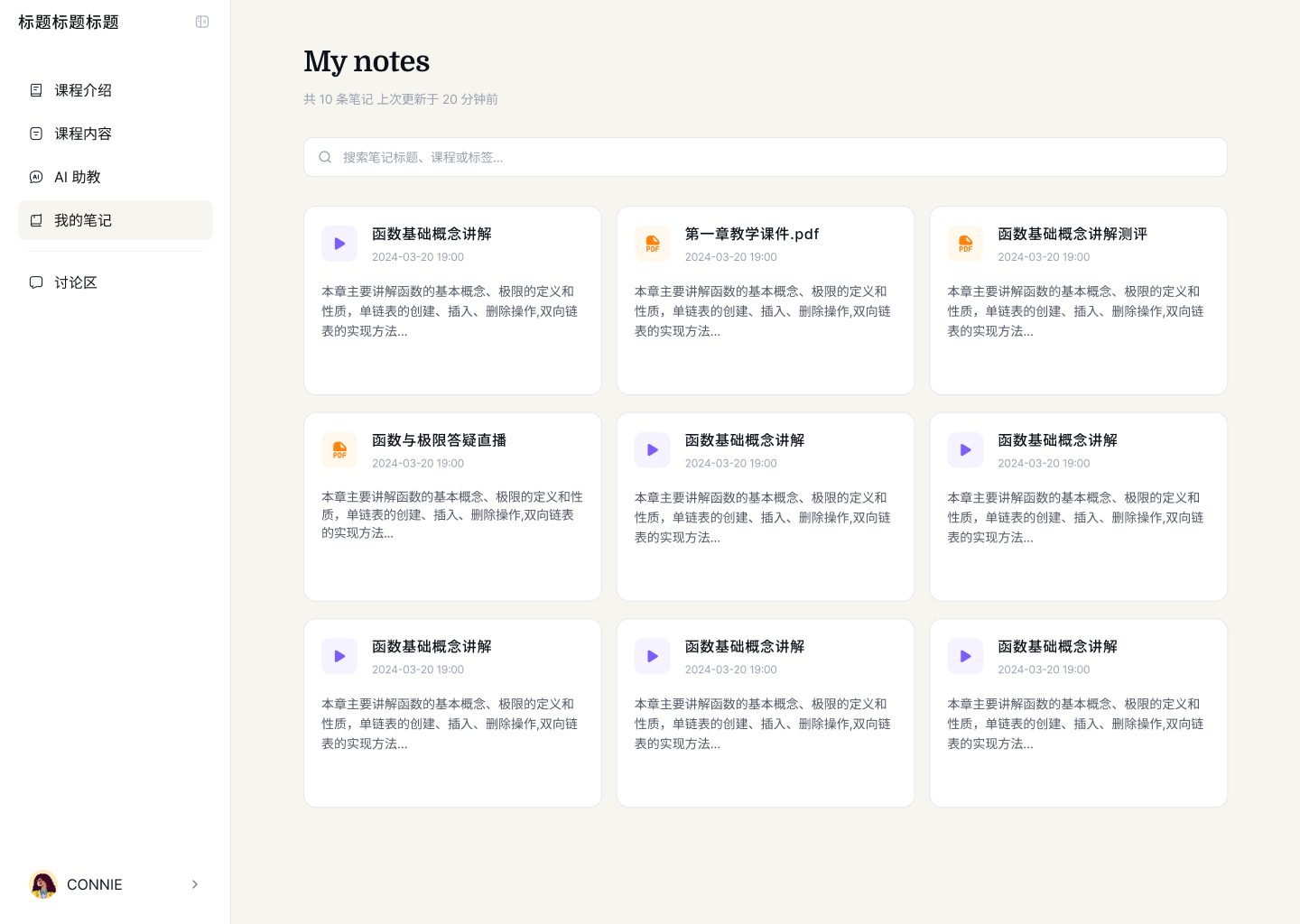
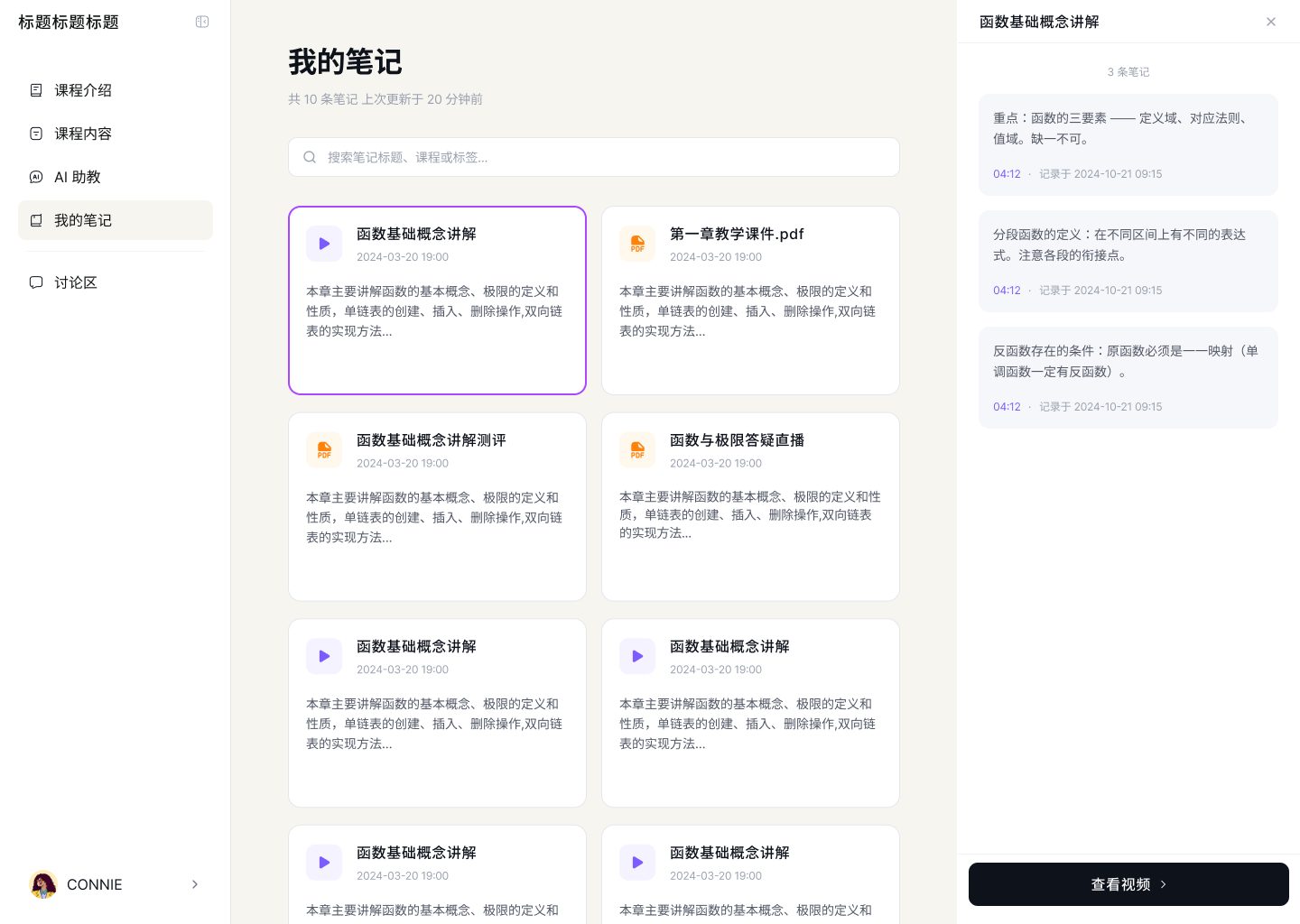
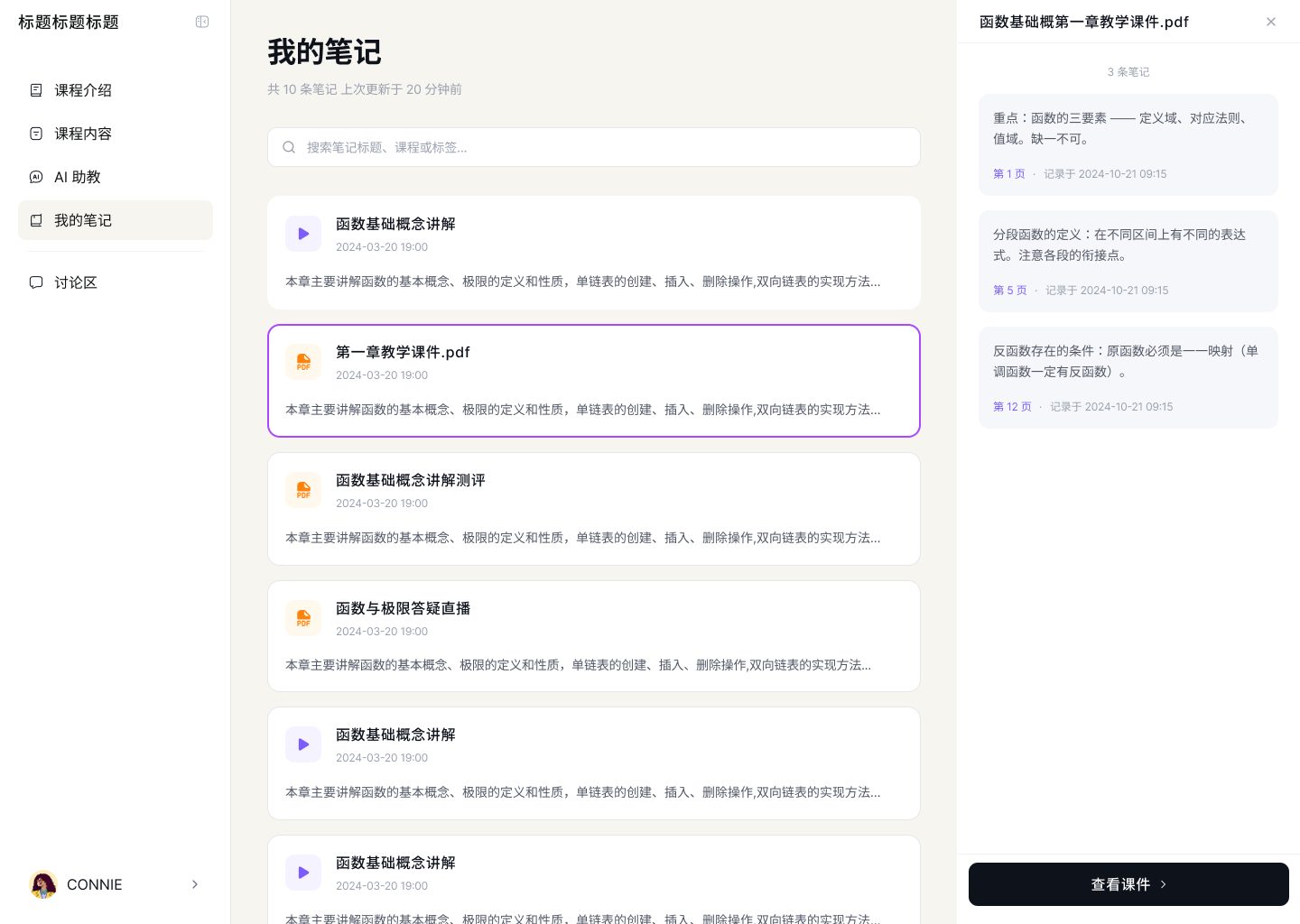
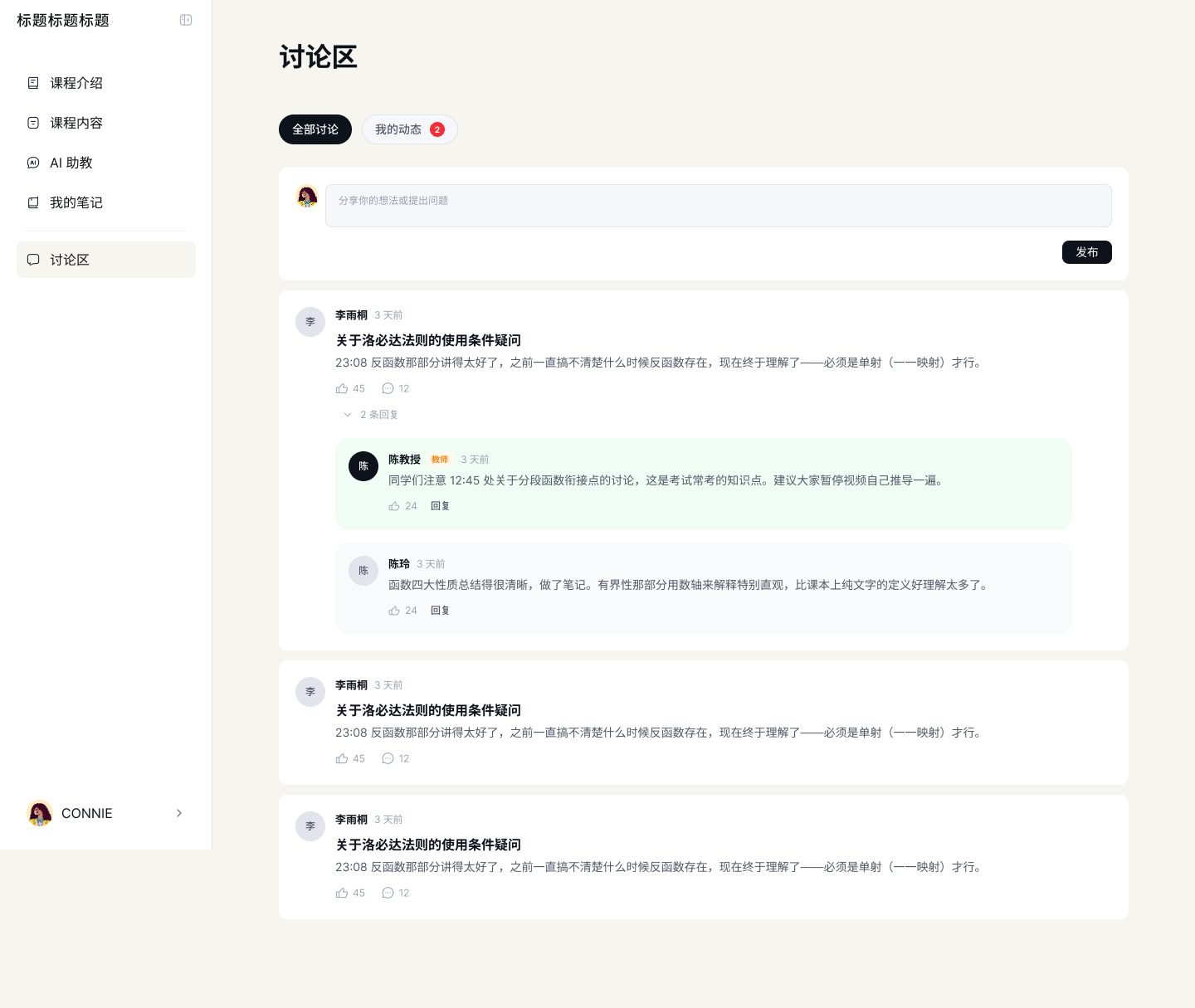
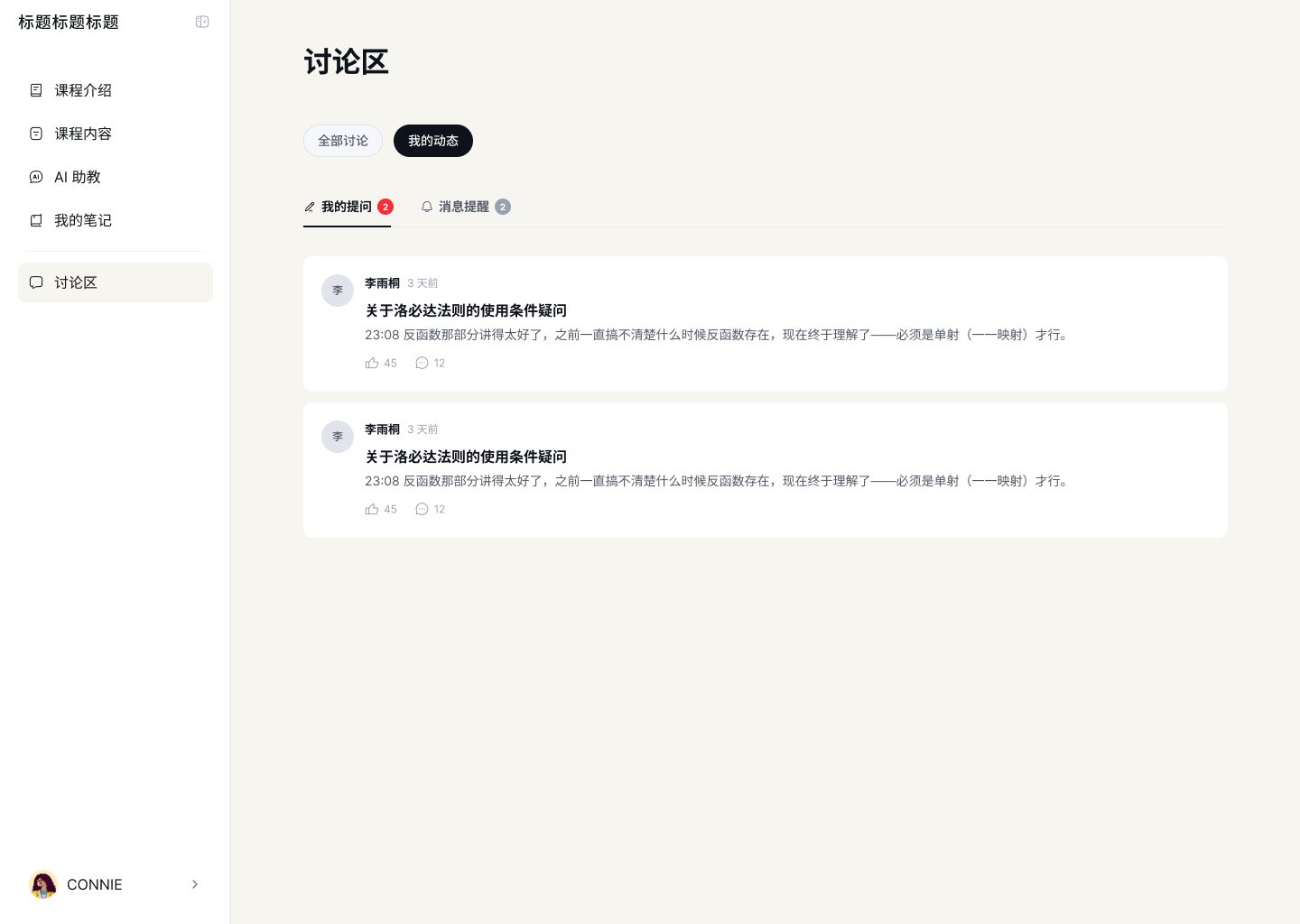
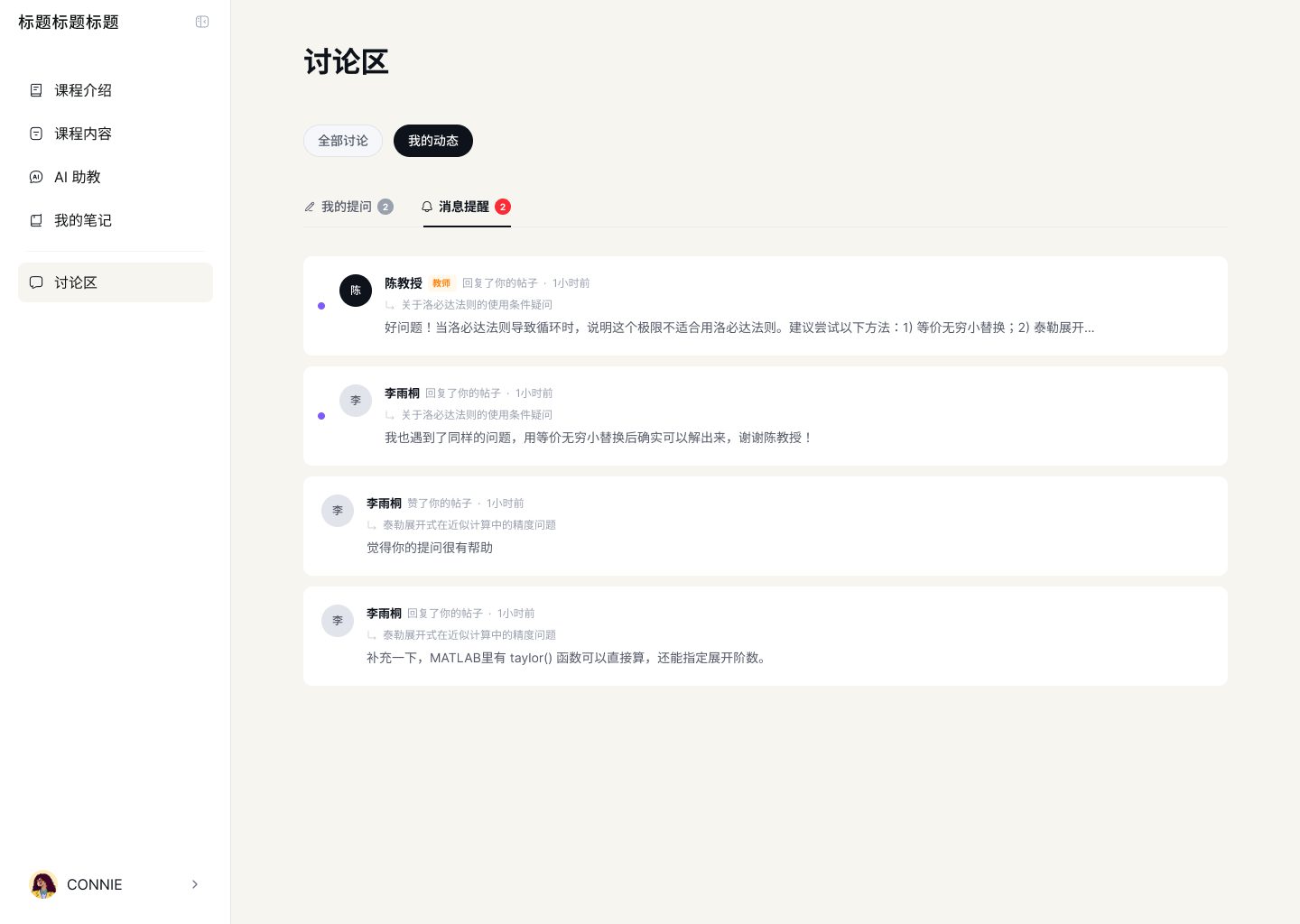
The student experience reuses the teacher's primitives. The video page shows completion, high-frequency questions, and a timeline of moments students rewatched. Notes come pre-grouped by source (video / slide). Discussion threads are typed (public / mine) and the teacher's replies appear as first-class. The loop closes: a question in discussion becomes a signal the teacher can see back in the workstation.

Action
Key design moves
- 01
Model the teacher's workflow, not the platform's database
Most course platforms ask the teacher to think in the platform's nouns: "course," "video," "sku," "price." I rebuilt the core action around verbs in the teacher's head: 【outline, fill, announce, open it to students】. The 4-step wizard (Outline → Content → Info → Intro) is that sentence, made into a product. The payoff is that a first-time teacher can follow the UI without a tutorial — the IA itself is the onboarding.
- 02
AI Copilot as a permanent right rail, not a popup
The AI could have lived behind a floating button. I kept it docked on the right across every step of the wizard and every slide of the deck editor. It reads the teacher's current state (which step, which module, which slide) and speaks in that context — "I've drafted a 16-week outline for Calculus; 4–5 sessions per module. Apply?" This is the difference between 【an assistant you call】 and 【an assistant who's already sitting next to you】. The second one is the product.
- 03
One add-content modal covering four content types
Slides, assessment, video, livestream could easily have been four separate flows. They share a modal with a common greeting ("Hi CONNIE, what are we making today?") and a common generate / upload toggle. That decision cost me complexity in the header state but 【saved the teacher from learning four different mental models】. It also let us ship the full content layer without multiplying QA surfaces.
- 04
Let the teacher and the student speak the same nouns
A slide the teacher edits becomes a studyable card for the student. A comment a student leaves at 04:12 of the video becomes a "rewatch hotspot" the teacher sees on their workstation. A discussion thread the student starts is the same object the teacher replies to, with the teacher's badge rendered inline. 【The loop isn't a feature — it's the fact that both sides share a vocabulary.】 Without that, you have two products stapled together; with it, you have a platform.
Results
What changed — and how design earned it.
01
User & business outcome
The market gave independent teachers a forced choice between 【being a MOOC supplier】 or 【being a one-person production company】. HD collapses that choice. A teacher can plan a course in the way they actually plan a course, let AI draft the first pass, and ship the whole thing — marketing page, workstation, wizard, student app — as one product under their own name.
02
How design delivered
A three-sided closed loop: 【brand + teacher's personal site】 (credibility), 【workstation + 4-step wizard + AI Copilot】 (production), 【student video / notes / discussion】 (consumption). The three sides share one visual system (off-white canvas, dark ink, orange accents, serif headlines) and one set of nouns (module · content · assessment · discussion), so each side reads as a continuation of the other.
03
Leverage for the team
- 01
Compressed what would normally be three separate design tracks (marketing / platform tool / student app) into one coherent system, making it possible for eng to ship a 0→1 platform inside a 3-month window.
- 02
Established the AI Copilot pattern (right-rail, context-aware, always present) as a reusable primitive — the next xBuddy surface can inherit it instead of inventing a new chatbot.
- 03
Turned "how do we make an AI teaching tool?" from a category question into a workflow question — the team stopped debating features and started shipping flow.
- 04
Left behind a vocabulary shared by product, eng, and growth (outline · content · module · wizard · copilot) that makes every subsequent brief quicker to scope.
Narrative — Reflection
What this project leaves me with.
The most instructive thing about HD was the pacing. Three weeks of design to ship a three-sided platform is not the right amount of time; it's the amount of time you actually have. That constraint forced a useful habit: 【design primitives first, surfaces later】. The wizard's 4 steps, the add-content modal, the AI Copilot right rail, the student-note primitive — once those were nailed, the rest of the system assembled itself.
The part I'd revisit is the workstation. It currently gives the teacher a clean present ("here's what's live"), but it's shy about the past and the future — it doesn't yet tell the teacher "here's which part of the last cohort worked, here's what to change before the next one." That's where a teaching platform becomes a teaching practice, and it's the next layer worth building.
Internally, the project also clarified something structural for our team: 【an AI product's moat isn't the model, it's the workflow you've earned the right to sit inside】. HD earned that right with teachers — which is a good starting point for anything xBuddy does next in this space.